
The most common SEO mistakes on trade websites are technical blocks that hide pages from Google, service pages that don't match what buyers actually search, a missing or misconfigured Google Business Profile, slow mobile performance, weak internal linking, unoptimized images, no analytics tracking, spammy or absent backlinks, missing schema markup, and duplicate or thin content. Fix these in the right order and you may see measurable results within a few months.
Run this diagnostic triage first, in order, before touching anything else:
- Open an incognito browser and type
site:yourdomain.com. Count the indexed pages. - Log into Google Search Console and check the Coverage report for excluded or errored URLs.
- Paste your homepage URL into PageSpeed Insights and run the mobile test.
- Search your business name in Google Maps. Is your Google Business Profile claimed and verified?
- Check your site URL in a browser. Does it load on HTTPS (padlock icon)?
That 30-minute check will surface the highest-priority problems on almost any trade site. The sections below walk through each mistake in depth, with specific fixes for WordPress.
Pro Tip: Before you change anything, screenshot your current Google Search Console Coverage report and PageSpeed Insights score. You need a baseline to prove your fixes worked.

Table of Contents
- What are the most common SEO mistakes on trade websites?
- Why do thin service pages hurt your trade site rankings?
- How does slow mobile speed affect trade website rankings?
- Is your site structure sending authority to the wrong pages?
- What Google Business Profile mistakes cost trades the most leads?
- Are bad backlinks dragging your trade site down?
- How do image mistakes slow your trade site and hurt local SEO?
- Why does ignoring Search Console cost you booked jobs?
- How long do SEO fixes take and what do they cost?
- What should trade websites fix first to follow E-E-A-T?
- What's your 30/90-day action plan for trade website SEO?
- Key Takeaways
- The real reason trade sites fail at SEO
- Thewebteam builds trade websites that rank from day one
- Useful sources and tools for trade website SEO
What are the most common SEO mistakes on trade websites?
Technical issues that silently block Google from reading your site are the single most damaging category of common SEO mistakes on trade websites. A page Google can't crawl or index ranks nowhere, regardless of how good the content is. Google Search Central is clear that crawlability and indexability are the foundation everything else builds on.

The five technical issues that kill visibility
1. Accidental noindex tags. WordPress has a checkbox in Settings ? Reading labeled "Discourage search engines from indexing this site." It's checked by default on new installs and staging environments, and it's frequently left on after launch. Check it now.
2. Robots.txt blocks. A single line like Disallow: / in your robots.txt file blocks every crawler. Open yourdomain.com/robots.txt in a browser and confirm it doesn't block your key pages.
3. Missing or unsubmitted sitemap. If Google hasn't been handed a sitemap, it discovers pages slowly and incompletely. In AIOSEO (or Yoast), go to the sitemap settings, copy the sitemap URL, and submit it under Search Console ? Sitemaps.
4. HTTP instead of HTTPS. An unencrypted site signals distrust to both visitors and Google. Your host's control panel (cPanel, Kinsta, WP Engine) usually has a one-click SSL install. After enabling it, update your WordPress URL settings and set a canonical redirect from HTTP to HTTPS.
5. Redirect chains. Three or more hops between URLs bleeds authority and slows load time. Use the URL Inspection tool in Search Console to spot chains, then fix them to a single 301 redirect.
Priority order: HTTPS ? Search Console verification ? sitemap submission ? noindex fix ? redirect cleanup.
Why do thin service pages hurt your trade site rankings?
A generic "Services" page listing roofing, gutters, siding, and windows in four bullet points is not a service page. It's a placeholder. Audit data on trade sites consistently shows thin and duplicate service pages as one of the top reasons contractor sites fail to rank for job-intent searches.
The fix is one dedicated page per job, written for the buyer who already knows what they need and is searching for someone local to do it.
Checklist for a strong trade service page:
- Primary keyword in the format: job type + city (e.g., "emergency drain unblock Denver")
- 500–1,500+ words of job-specific content: what the job involves, how long it takes, what it costs roughly, and what happens if it's ignored
- Local proof: a photo from an actual job in that area, a neighborhood reference, or a permit note
- Clear CTA above the fold: phone number and a "Get a Quote" button
- An FAQ section answering the three questions buyers ask before calling
- Review snippets pulled from your Google Business Profile
Before vs. after example: A catch-all "Plumbing Services" page with 120 words ranks for almost nothing. Replace it with "Emergency Sewer Repair in [City]" at 800 words with a job photo, a local review, and a click-to-call button, and you've created a page that matches exactly what a panicked homeowner types at 10 PM.
Meta tags matter here too. Your title tag should mirror your H1 (job + city), stay under 60 characters, and lead with the service, not your brand name. Meta descriptions don't directly affect rankings, but a well-written meta description lifts click-through rates from the results page. Write it like a short ad: "Burst pipe in Denver? We're available 24/7. Call for a same-day quote." Keep it under 155 characters.
To avoid duplication across similar pages, use canonical tags to point near-identical pages to the strongest version, and consolidate thin pages rather than multiplying them.
How does slow mobile speed affect trade website rankings?
Most local trade searches happen on a phone, often by someone standing in front of a problem they need fixed today. A slow mobile site loses that caller before they ever see your phone number.
Core Web Vitals benchmarks set the targets: Largest Contentful Paint (LCP) under 2.5 seconds, Interaction to Next Paint (INP) under 200 milliseconds, and Cumulative Layout Shift (CLS) under 0.1. Run PageSpeed Insights on your homepage and your top service page, mobile tab only.
| Fix | Tool to use | Expected impact |
|---|---|---|
| Compress images to WebP | Squoosh, ShortPixel | Biggest LCP gain |
| Defer render-blocking JS | Lighthouse audit | Improves INP |
| Enable browser caching | WP Rocket, W3 Total Cache | Repeat visit speed |
| Use a CDN | Cloudflare (free tier) | Global load time |
| Switch to faster hosting | Managed WordPress host | Baseline improvement |
Lighthouse (built into Chrome DevTools) gives you a prioritized list of exactly what's slowing your specific site. Work through its "Opportunities" section top to bottom.
Pro Tip: Switch to a lightweight WordPress theme (GeneratePress, Kadence, Astra) before optimizing plugins. A bloated theme adds more overhead than most plugin combinations combined.
Is your site structure sending authority to the wrong pages?
A flat site where every page links only to the homepage spreads authority evenly across pages that don't deserve it equally. Your money pages, the service pages that generate calls, should receive the most internal link equity.
The fix is a simple cluster structure:
- Create a "Services" hub page that links to every individual service page.
- From each service page, link to two or three related service pages.
- When you publish a blog post (e.g., "How to spot a failing water heater"), link it to your water heater repair service page.
- Add footer links to your three highest-value service pages sitewide.
- Use WordPress menus to surface your top services one click from the homepage.
Each primary service page should have at least 3–5 internal inlinks pointing to it. Use a free site crawler like Screaming Frog (up to 500 URLs free) to export all pages, then filter for pages with zero internal links. Those are your orphan pages, and they're invisible to Google in practice even if they're technically indexed.
For a deeper look at how site architecture affects rankings, the structure you build in the first month tends to compound over time.
Pro Tip: Build the Services hub page first, then create individual service pages one at a time and link each back to the hub. This way every new page is already part of the structure from day one.
What Google Business Profile mistakes cost trades the most leads?
An unverified or misconfigured Google Business Profile (GBP) is the fastest way to disappear from the Map Pack entirely. Trade site audits show that inconsistent NAP (Name, Address, Phone) across directories and an incomplete GBP are among the most common local SEO failures for contractors.
Work through this GBP checklist:
- Primary category: pick the most specific one (e.g., "Plumber" not "Contractor")
- Services list: add every individual service you offer, with descriptions
- Service areas: list the cities and ZIP codes you actually serve
- Phone number: must match exactly what's on your website and every directory
- Website link: point to your homepage or a location-specific landing page
- Hours: keep them current, including holiday hours
- Photos: add at least 10 real job photos; update monthly
- Review responses: reply to every review, positive or negative
Local citation consistency is not optional. Google cross-references your business name, address, and phone number across dozens of directories. A single digit off in your phone number on Yelp, Angi, or the BBB creates a trust signal conflict that suppresses your local ranking. Tools like BrightLocal or Moz Local can audit all your citations in one pass and flag every mismatch.
For schema, add a LocalBusiness or HomeAndConstructionBusiness JSON-LD block to your homepage and a Service schema block to each service page. A minimal example:
{
  "@context": "https://schema.org",
  "@type": "Plumber",
  "name": "Your Business Name",
  "telephone": "+1-555-000-0000",
  "address": {
    "@type": "PostalAddress",
    "addressLocality": "Denver",
    "addressRegion": "CO"
  }
}
AIOSEO handles this without code for most WordPress sites. Reviews feed both your GBP ranking and your service pages. Ask for a review immediately after a job is complete, while the experience is fresh, and display review snippets directly on relevant service pages.
Are bad backlinks dragging your trade site down?
For a local trade site in a mid-competition market, a modest number of quality referring domains from locally relevant sources can meaningfully improve authority. The problem is that many trade sites either have zero links or have accumulated links from low-quality directories that do more harm than good.
Red flags to look for in your backlink profile:
- Sudden spike in links from foreign-language sites
- Dozens of links with identical anchor text (e.g., "best plumber Denver" repeated exactly)
- Links from obvious link networks or private blog networks
- Links from sites with no topical relevance to trades or your region
Export your referring domains from Search Console (Links report) or a tool like Ahrefs' free backlink checker. Flag anything suspicious. Disavow only as a last resort, and only for links that are clearly manipulative.
Safe link-building tactics for trades:
- Get listed in trade association directories (NARI, PHCC, ACCA, or your state's contractor licensing board)
- Ask suppliers and manufacturers you work with for a partner or dealer listing
- Sponsor a local youth sports team or community event and request a link from their site
- Pitch a local news outlet or neighborhood blog with a genuinely useful story (e.g., "What Denver homeowners should check before winter")
Fix your technical and on-page issues first. Links amplify what's already there. A strong link pointing to a broken or thin page doesn't help much.
How do image mistakes slow your trade site and hurt local SEO?
Job photos are your best conversion asset and a legitimate local SEO signal. They prove you do real work in real places. But raw photos from a phone camera can be quite large in file size, and uploading them uncompressed to WordPress is a common speed killer on trade sites.
Image optimization checklist:
- Compress every image before upload using Squoosh (free, browser-based) or ShortPixel (WordPress plugin)
- Convert to WebP format where your hosting supports it
- Name files descriptively:
water-heater-replacement-denver-co.webpbeatsIMG_4821.jpg - Write alt text that mentions the service and location: "Water heater replacement in Denver, CO"
- Use responsive image sizes in WordPress (set in Media Settings) so mobile devices don't download desktop-sized files
- Lazy-load images below the fold using a plugin like Smush or the native WordPress lazy-load attribute
Add the same job photos to your Google Business Profile with location tags. A photo captioned with the neighborhood and job type reinforces your local relevance to Google.
Pro Tip: For video walkthroughs or large before/after galleries, host on YouTube or Vimeo and embed the player. Your page loads fast; the media still works.
Why does ignoring Search Console cost you booked jobs?
Without Google Search Console and basic conversion tracking, you're flying blind. You can't tell which pages are generating calls, which queries are bringing visitors, or whether a fix you made last month actually worked. Contractor SEO should be measured by booked jobs and calls, not impressions alone.
Minimum tracking setup:
- Verify your site in Google Search Console (HTML tag method is fastest in WordPress).
- Set up Google Analytics 4 and link it to Search Console.
- Enable call tracking: at minimum, set up a click-to-call conversion event in GA4 for your phone number.
- Set up a form submission goal for your quote/contact form.
Monthly GSC actions:
- Coverage report: check for new errors or excluded pages.
- Performance report: sort by impressions, find pages with high impressions but low click-through rates, and rewrite their title tags.
- URL Inspection: test any page you've recently edited to confirm it's indexed.
The Performance report is where you find quick wins. A page ranking in position 8–15 for a job-intent query is close. Improving its title tag and meta description often moves it to the top five without any other changes. For more on aligning pages to buyer intent, the query data in Search Console is your most reliable guide.
How long do SEO fixes take and what do they cost?
Low-cost DIY triage can produce measurable improvements within a month. More extensive fixes and authority growth can take several months. Set that expectation now, because most trades clients who give up on SEO do so at month two, right before results start compounding.
| Fix | DIY time | Time to impact | Pro cost (approx.) |
|---|---|---|---|
| Claim/verify GBP | 1–2 hours | 1–2 weeks | $0 setup |
| Fix noindex/HTTPS | 30–60 min | Days | $100 |
| Submit sitemap | 15 min | Days | Included in setup |
| Compress images | 2–4 hours | 1–2 weeks | $400 |
| Rebuild service pages | 4–8 hrs/page | 4–12 weeks | — |
| Schema markup | 1–2 hours | 2–4 weeks | $200–$500 |
| Local link outreach | Ongoing | 3–6 months | — |
WordPress-specific cost drivers include theme optimization (a premium lightweight theme runs $50–$100 one-time), AIOSEO Pro ($50/year), managed hosting ($25–$50/month), and an ongoing care plan for updates and monitoring.
Hire a specialist when the fix requires server-level access, complex redirect mapping, or a full content rewrite across more than five pages. DIY is appropriate for GBP setup, photo uploads, review requests, and basic meta tag edits.
What should trade websites fix first to follow E-E-A-T?
Prioritize the fixes that unlock visibility and conversions: GBP, service pages, mobile speed, tracking, then authority. Google's E-E-A-T framework rewards Experience (real job photos), Expertise (clear process descriptions), Authoritativeness (trade association memberships), and Trustworthiness (HTTPS, real reviews).
Week 1 quick wins:
- Claim and verify Google Business Profile
- Confirm HTTPS is active sitewide
- Submit your sitemap to Search Console
- Remove any accidental noindex blocks
- Add a click-to-call phone number above the fold on every page
Month 1:
- Rebuild or expand your top two or three service pages with local proof and job photos
- Optimize title tags and meta descriptions across all service pages
- Compress all images and convert to WebP
- Add LocalBusiness and Service schema via AIOSEO
Quarter 1:
- Build out internal linking structure (hub + cluster)
- Begin local link outreach (trade associations, suppliers, local press)
- Launch a review generation process: text or email every customer after job completion
- Publish one or two supporting blog posts that link to money pages
Pro Tip: One well-optimized service page with a real job photo, a local review, and a clear phone CTA will outperform ten generic blog posts for generating actual calls. Start there.
Trades clients who fix their GBP and rebuild a single high-intent service page typically see measurable lead growth within 90 days. The role of case studies and job proof in building that trust signal is significant and often underused.
What's your 30/90-day action plan for trade website SEO?
A focused 30-day triage followed by a 90-day build plan delivers the best ROI for trade websites. Here's the split:
30-day checklist (owner or tech):
- Claim and verify Google Business Profile; complete every field.
- Add a click-to-call phone number sitewide (header and footer).
- Confirm HTTPS is active; fix HTTP-to-HTTPS redirects.
- Submit XML sitemap to Google Search Console.
- Run PageSpeed Insights (mobile); fix the top three speed items.
- Verify site in Google Search Console and Google Analytics 4.
- Remove any noindex blocks on live pages.
90-day checklist (owner + contractor):
- Create dedicated service pages for your top three jobs (job + city format).
- Implement LocalBusiness and Service schema on homepage and service pages.
- Audit and clean up NAP citations using BrightLocal or Moz Local.
- Begin local link outreach: trade associations, suppliers, local directories.
- Launch a review generation process and add review snippets to service pages.
- Build the Services hub page and internal linking cluster.
Role split: Owners handle photos, customer outreach, review requests, and GBP updates. Hire a WordPress developer or SEO specialist for server-level speed fixes, complex schema implementation, redirect mapping, and backlink auditing.
Simple KPIs to track: number of indexed pages (Search Console), GBP profile views and calls, organic form submissions and phone clicks (GA4), and PageSpeed Insights mobile score.
Google's AI-powered search features still pull from the same index, so every fix above also improves your visibility in AI-generated answers. For trades businesses also thinking about AI search visibility, getting found in AI-driven results follows the same foundational logic: accurate, indexed, locally relevant content wins.
Key Takeaways
Fixing the highest-impact SEO errors on a trade website requires addressing technical blocks, service-page quality, local signals, and mobile speed before anything else.
| Point | Details |
|---|---|
| Technical blocks come first | Check for noindex, missing HTTPS, and unsubmitted sitemaps before any other fix. |
| One service page per job | A dedicated page for each job type and city outperforms a generic catch-all services page. |
| GBP is your fastest local win | A verified, complete Google Business Profile with consistent NAP is the single highest-ROI local fix. |
| Mobile speed drives calls | Run PageSpeed Insights on mobile; compress images to WebP and defer render-blocking scripts. |
| Thewebteam for fast execution | Thewebteam builds and optimizes WordPress trade sites rapidly, with care plans that keep fixes in place. |
The real reason trade sites fail at SEO
Most trade websites don't fail because of a lack of content. They fail because a technical blocker stops Google from reading the site, or because every service page targets the same vague keyword and gives a buyer no reason to call.
The pattern repeats constantly: a site that looks fine visually has a noindex tag left over from staging, no sitemap submitted, and a single "Services" page covering eight different trades. Google sees almost nothing indexable, and the few pages it does find don't match any specific buyer query.
The fix isn't a content calendar or a link-building campaign. It's a 30-minute technical triage, followed by rebuilding two or three service pages the right way. That combination, done well, moves the needle faster than six months of blogging.
What's underestimated is how much local proof matters. A page with a real job photo from a neighborhood Google recognizes, a review from a named customer, and a phone number that matches the GBP listing signals something a generic page never can: that a real business did real work here. That's what E-E-A-T actually means in practice for trades, and it's what separates a page that ranks from one that doesn't.
The on-page SEO elements that move trade sites aren't complicated. They're just consistently skipped.
Thewebteam builds trade websites that rank from day one
If your trade site has any of the issues above and you'd rather not spend weekends in WordPress settings, Thewebteam handles the full fix. The team specializes in fast WordPress builds and care plans for trades, contractors, and B2B businesses, with sites launching in days rather than weeks and no hidden costs.
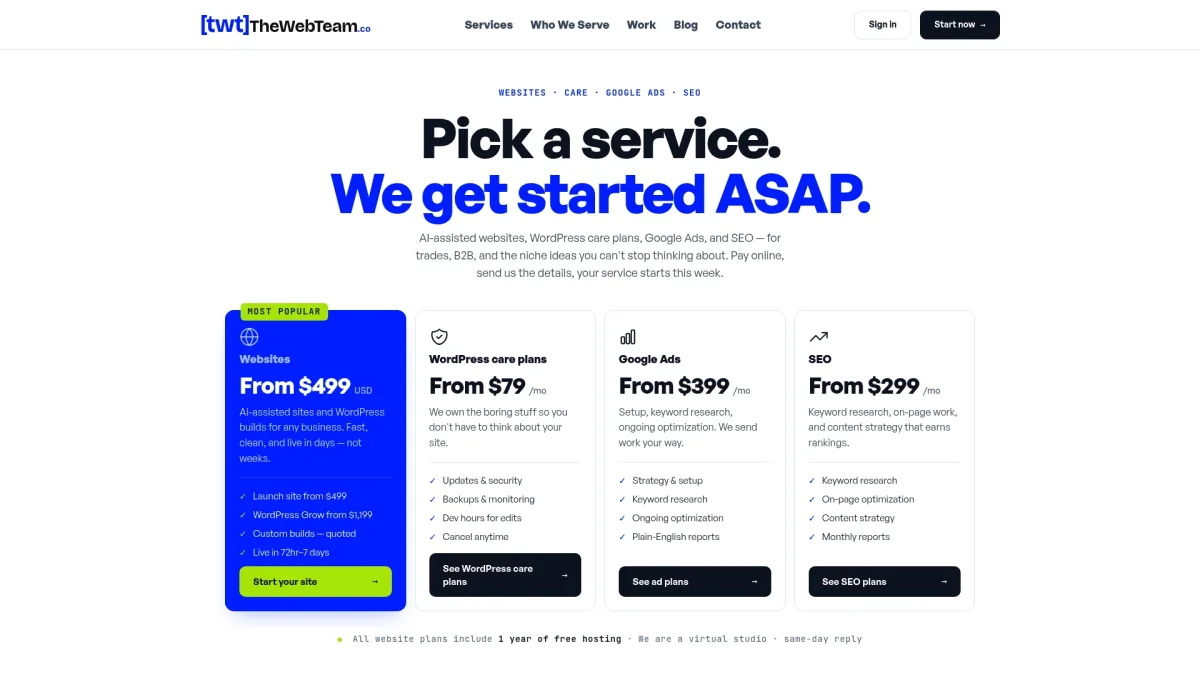
A typical triage covers HTTPS setup, sitemap submission, noindex cleanup, image compression, and GBP alignment, usually completed within a few days. A full service-page rebuild or site restructure runs a few weeks. Ongoing care plans cover WordPress maintenance, speed monitoring, and SEO updates so nothing breaks after launch.
See who Thewebteam serves and review the portfolio of trade and B2B projects to get a sense of the work. Ready to find out what's blocking your site? Reach out for a no-obligation technical health check.
Useful sources and tools for trade website SEO
Use these tools in the order listed during your 30-day triage:
- Google Search Console — Coverage report (indexing errors), Performance report (queries and pages), URL Inspection. Run this first, weekly.
- PageSpeed Insights — Mobile performance score and Core Web Vitals. Run on your homepage and top service page.
- Lighthouse — Built into Chrome DevTools (F12 ? Lighthouse tab). Gives a prioritized "Opportunities" list for your specific site.
- Schema.org documentation — Reference for LocalBusiness, HomeAndConstructionBusiness, and Service schema types.
- AIOSEO — WordPress plugin for sitemap generation, schema markup, canonical tags, and meta tag management. Free tier covers most trade site needs.
- Screaming Frog SEO Spider — Free up to 500 URLs. Use it to find orphan pages, duplicate title tags, and redirect chains.
- BrightLocal or Moz Local — NAP citation audits across directories. Run once to find inconsistencies, then fix and re-audit quarterly.
- Squoosh — Free browser-based image compressor. Use before uploading any job photo to WordPress.
| Tool | What it reveals | First action |
|---|---|---|
| Google Search Console | Indexed pages, errors, queries | Fix Coverage errors |
| PageSpeed Insights | Mobile speed, Core Web Vitals | Compress images |
| Lighthouse | Specific speed opportunities | Work through "Opportunities" |
| Screaming Frog | Orphan pages, duplicate titles | Fix zero-inlink pages |
| BrightLocal | NAP citation mismatches | Correct top 10 directories |