
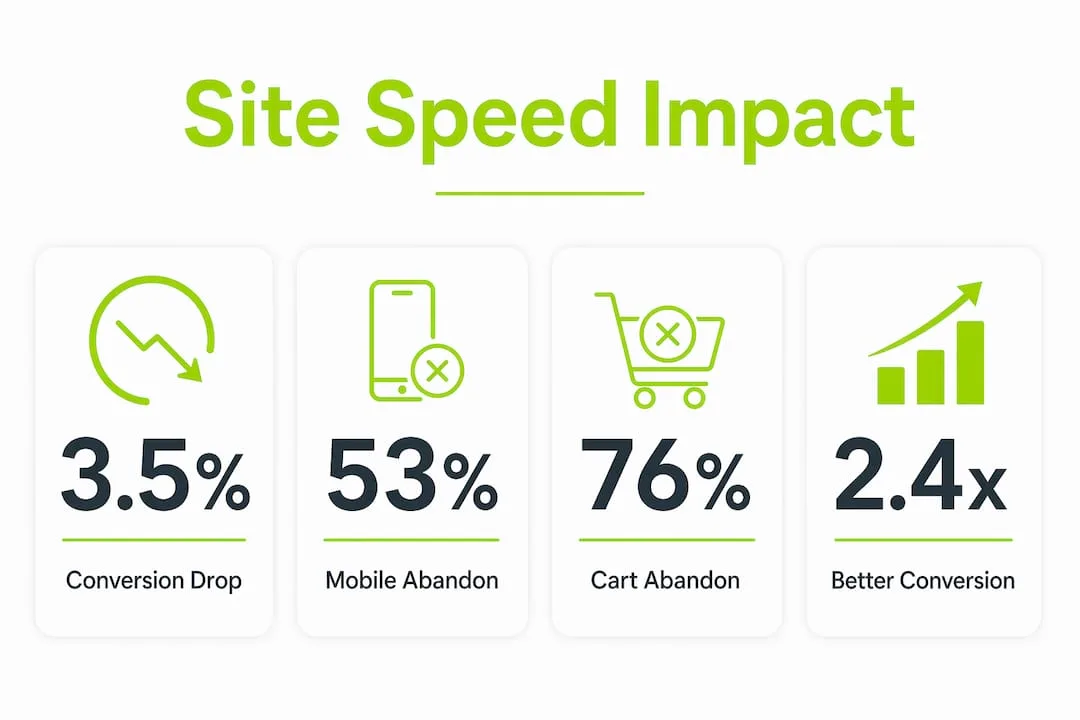
Slow websites lose customers at a measurable, predictable rate. Every 100ms of added load time cuts conversions by roughly 3.5%, and sites that load in under 2 seconds convert 2.4 times better than those taking over 5 seconds. The industry term for this relationship is "website performance," and it covers both technical speed and how fast a site feels to the visitor. For digital marketers, small business owners, and website managers, this is not a developer problem. It is a revenue problem that sits squarely in your hands.
Why slow websites lose customers: the hard numbers
Website loading time effects show up fastest in bounce rates. 53% of mobile users abandon a page that takes longer than 3 seconds to load. That number alone should reframe how you think about every dollar you spend on ads or SEO.
Bounce rates climb sharply as load time increases. Between 1 second and 3 seconds, bounce rates rise 32%. Push that to 5 seconds and the rate jumps 90%. Those are not gradual losses. They are a cliff edge most businesses never see coming because they test their site on a fast office Wi-Fi connection.

76% of consumers abandon online carts because of slow website speeds. Of those abandoned sales, 39% were valued at $100 or more. That means slow loading is not just losing you small impulse buys. It is costing you high-value transactions.
The table below shows how conversion and bounce behavior shift at different load time thresholds:
| Load time | Bounce rate impact | Conversion impact |
|---|---|---|
| Under 2 seconds | Baseline | 2.4x better than 5s+ |
| 3 seconds | +32% vs. 1s | Significant drop begins |
| 5 seconds | +90% vs. 1s | Major conversion loss |
| Over 5 seconds | Critical abandonment | Severe revenue impact |
Pro Tip: Test your site speed from a mobile device on a standard 4G connection, not your office broadband. That is the experience most of your customers actually have.
The psychology behind why users abandon slow pages
Actual load time and perceived load time are two different problems. A page that loads in 4 seconds but shows content progressively can feel faster than one that loads in 3 seconds but shows a blank screen the whole time. Users abandon loading pages mostly because of uncertainty, not just the wait itself.
A blank screen or a frozen spinner creates anxiety. The visitor has no idea if the page is loading, broken, or gone. That uncertainty triggers a simple decision: leave and find another option. A slow page that communicates progress, through a skeleton screen or a loading bar, keeps users engaged far longer.
The first 50ms of a page visit shapes a visitor's immediate trust judgment. Visual layout is processed faster than any text can be read. A slow, blank load creates a negative aesthetic impression before a single word appears on screen. That first impression is almost impossible to recover from.
The emotional arc of a slow page visit follows a predictable pattern:
- 0–1 second: Curiosity and engagement. The visitor expects the page to appear.
- 1–3 seconds: Mild impatience. Attention starts to drift.
- 3–5 seconds: Frustration sets in. The visitor begins questioning whether the site works.
- 5+ seconds: Abandonment. The visitor leaves and rarely returns.
79% of shoppers who experience poor site performance say they are less likely to return. That is not just a lost sale. It is a lost customer relationship.
Loading state design manages user expectations and reduces the anxiety of waiting. Skeleton screens, progress indicators, and prioritizing visible content above the fold all reduce perceived wait time. Perceived performance improvements can increase conversions by up to 30%, even when actual load times stay the same. That is a significant gain available to any site willing to invest in UX loading states.
Why site speed is a marketing lever, not just a tech issue
The impact of website speed extends well beyond the user experience. Website speed directly affects SEO rankings because faster sites are crawled more efficiently by search engines and rank higher in organic results. A slow site does not just frustrate visitors. It also limits how much of your content Google indexes and promotes.
Paid advertising suffers too. When you pay for a click through Google Ads and the landing page loads slowly, you lose the visitor before they convert. You paid for that click. A slow page means you paid for nothing. Speed improvement delivers compounded returns across every marketing channel you invest in.
"Speed should be treated as a strategic growth lever, influencing all marketing channels. Improvements in site performance yield compounded ROI across SEO visibility, paid campaign effectiveness, and customer lifetime value." — Anorak, Website Speed as a Strategic Business Lever
The technical SEO checklist for B2B websites confirms this directly. Load speed is a core ranking signal, and slow sites pay a double penalty: lower organic visibility and higher cost per acquisition from paid channels.
Customer lifetime value also takes a hit. A visitor who has a poor first experience rarely returns. 79% of shoppers experiencing slow performance say they will not come back. Losing repeat customers multiplies the revenue damage far beyond a single abandoned cart.
Practical steps to improve speed and keep customers coming back
Speed improvement is not a one-time project. Site speed degrades naturally over time as new features, plugins, and content add weight to a site. Treating performance as a core product feature, not a launch task, is the mindset shift that separates fast sites from slow ones.
Here are the most effective steps to improve both actual and perceived performance:
- Compress and properly size images. Unoptimized images are the single most common cause of slow load times. Use modern formats like WebP and serve images at the size they actually display.
- Minimize and defer scripts. Third-party scripts for analytics, chat, and ads add significant load weight. Audit them regularly and defer any that are not critical to the initial page render.
- Implement skeleton screens and progress indicators. Replace blank loading states with placeholder layouts that show the page structure before content arrives. This directly reduces perceived wait time.
- Prioritize above-the-fold content. Load what the visitor sees first. Everything below the fold can load after the visible content is ready.
- Use a content delivery network (CDN). A CDN serves your site from servers geographically close to each visitor, cutting physical latency.
- Monitor performance continuously. Use tools like Google PageSpeed Insights or Core Web Vitals reports to track performance over time, not just at launch.
The DIY website maintenance checklist for small business owners covers many of these steps in practical detail. Regular maintenance prevents the gradual performance decay that costs businesses customers without any obvious trigger event.
Pro Tip: Set a performance budget before adding any new plugin or feature. If it pushes your load time above your target threshold, it does not ship until something else is removed or optimized.
Context-sensitive speed targets also matter. Users expect instant responses for simple navigation clicks. They will tolerate a longer wait for a complex transaction like a booking or payment, especially if progress is clearly communicated. Matching your loading feedback to the type of interaction keeps users patient and engaged.
Key takeaways
Slow websites lose customers because every additional second of load time directly reduces conversions, increases bounce rates, and damages the trust that brings customers back.
| Point | Details |
|---|---|
| Speed kills conversions fast | Every 100ms of added load time cuts conversions by roughly 3.5%. |
| Mobile users are least forgiving | 53% of mobile users leave if a page takes over 3 seconds to load. |
| Perceived speed matters as much as actual speed | Skeleton screens and progress indicators can lift conversions by up to 30%. |
| Speed is a marketing investment | Faster sites rank higher, reduce ad waste, and improve customer lifetime value. |
| Performance degrades without maintenance | Ongoing optimization prevents the slow decay that silently costs you customers. |
Speed is the product: a perspective from the field
I have worked with enough small businesses and marketing teams to know that website speed is almost always treated as someone else's problem. Developers think it is a hosting issue. Marketers think it is a developer issue. Business owners think it is something that gets fixed once and stays fixed. None of that is true.
The businesses I have seen retain customers most effectively treat their website the same way they treat their best salesperson. They invest in it continuously. They check on it regularly. They notice when it starts underperforming and act quickly.
The perceived speed insight is the one that surprises people most. You can improve your conversion rate significantly without touching your server or changing your hosting plan. Just show users something useful within the first second. A skeleton layout, a progress bar, a headline that loads before the images. These are not expensive changes. They are design decisions that signal to the visitor: "We know you are waiting, and we are working on it."
The other thing I have learned is that speed problems rarely announce themselves. A site that launched fast in 2023 is often noticeably slower by 2026 because of accumulated plugins, larger image files, and added scripts. Regular website performance reviews catch this drift before it becomes a customer retention crisis. Build that review into your quarterly calendar and treat it as non-negotiable.
— Jonathon
How Thewebteam builds websites that hold their speed
A fast launch means nothing if the site slows down six months later. Thewebteam builds websites for trades, B2B businesses, and niche industries with performance baked in from the start, not bolted on after the fact.
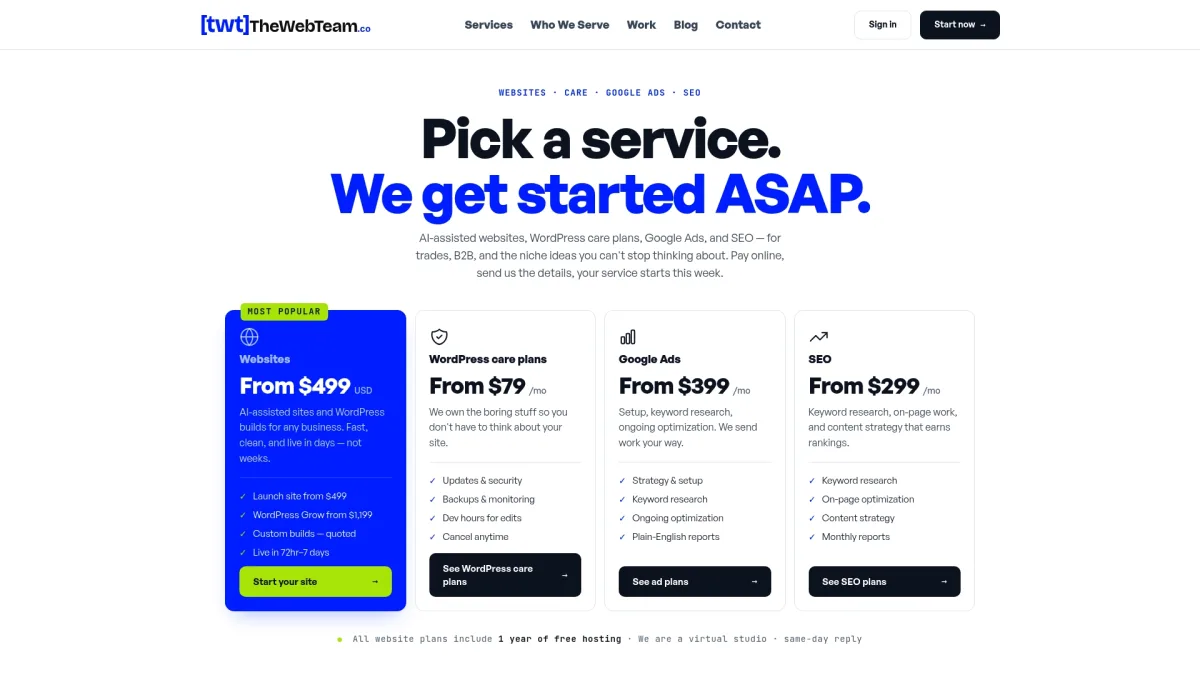
Every project includes image optimization, script management, and a technical foundation designed to stay fast as your site grows. Ongoing care plans keep performance from degrading over time, so you are not losing customers to a problem you do not even know exists. If you want to see what that looks like in practice, the Thewebteam services page covers the full range of development and maintenance options. You can also browse the client portfolio to see real results from businesses that made the switch.