
A DIY website maintenance checklist is a systematic set of recurring tasks that keeps your site secure, fast, and fully functional without hiring outside help. Most small business owners treat their website like a storefront they never inspect. That approach costs real money. A site can score 95/100 on automated SEO tests and still have a broken payment gateway draining revenue every day. The industry term for this practice is website health management, and it covers five core pillars: SEO, speed, security, mobile responsiveness, and accessibility. Thewebteam works with small businesses daily and confirms that consistent, scheduled upkeep prevents the majority of costly site failures.
1. What does a DIY website maintenance checklist actually cover?
A complete site upkeep guide divides tasks by frequency: weekly, monthly, and quarterly. This structure matches risk to effort. Weekly checks catch fast-moving problems like broken forms or malware alerts. Monthly tasks address software updates, backups, and SEO. Quarterly audits go deep into security, accessibility, and server health.
Small business website maintenance works best when it is simple, repeatable, and tied to risk. The five areas that matter most are availability, security, backups, performance, and content accuracy. Skipping any one of these creates a gap that compounds over time.

A basic DIY website audit covering all five pillars takes under 30 minutes. That means a full month of protection costs you roughly two hours of focused work. That is a trade most business owners will take.
2. Weekly checks: catching problems before customers do
Weekly tasks focus on visibility and function. You are looking for anything that breaks the user experience or signals a security threat.
Run these checks every week:
- Test every contact form by submitting a real entry and confirming delivery
- Click through your main navigation links and verify none return 404 errors
- Check your homepage and key landing pages for layout breaks on both desktop and mobile
- Log in and log out of any member or customer portal
- Review your uptime monitoring dashboard or email alerts for downtime events
- Scan your Google Search Console account for new crawl errors or manual actions
- Look at your hosting control panel for any security or malware alerts
Manual testing of critical paths like forms, logins, and checkout processes is non-negotiable because automated checks miss functional errors in every case where a real failure occurs. A script cannot tell you that your contact form sends submissions to an inbox nobody reads.
Pro Tip: Use your phone to run the weekly visual check. Mobile rendering issues are the most common layout problem small business sites face, and you will catch them faster on an actual device than in a browser emulator.
3. Monthly tasks for stability and performance
Monthly maintenance is where most of the technical work lives. These tasks protect your site from software vulnerabilities, data loss, and search ranking drops.
Core monthly tasks:
- Update your CMS core, plugins, and themes
- Run a full backup covering your database, files, and media library
- Verify the backup by checking file size and, when possible, restoring to a test environment
- Review meta titles and descriptions for your top 10 pages
- Check for broken internal and external links using a free link checker tool
- Run a page speed test and address any images that are not compressed
- Clear your site cache and confirm caching rules are active
- Review your Google Analytics or equivalent for unusual traffic drops
Never update plugins or CMS core directly on a live site. Always test updates on a staging environment first to prevent broken layouts or failed payments from reaching real visitors. Most managed hosting plans include a one-click staging feature. If yours does not, clone your site to a subdomain before applying updates.
Monthly audits covering page speed, mobile friendliness, crawlability, broken links, security, duplicate content, rankings, and uptime preserve both search visibility and user experience. These ten metrics identify issues early, before they compound into ranking losses or customer complaints.
Pro Tip: Set a recurring calendar reminder on the first Monday of every month labeled "Site Health Day." Treat it like a bill payment. Consistency matters more than perfection.
4. Quarterly deep-dive audits for long-term site integrity
Quarterly audits go beyond routine upkeep. They catch the slow-moving problems that weekly and monthly checks miss: permission creep, server resource exhaustion, and accessibility gaps.
- Run a full security scan using a reputable malware scanner and review the results line by line.
- Audit user accounts and permissions. Remove any accounts that are no longer active. Downgrade permissions for users who do not need admin access.
- Check server error logs for recurring 500 errors, redirect chains, or resource spikes.
- Test your backup restore. Download your most recent backup and restore it to a staging environment. Confirm the site loads correctly.
- Audit mobile responsiveness across at least three screen sizes and two browsers.
- Run a full accessibility check using a tool like WAVE or Axe and fix any critical violations.
- Conduct a full SEO audit covering duplicate content, orphaned pages, thin content, and internal linking gaps.
- Review your SSL certificate expiration date and confirm HTTPS is enforced site-wide.
A reusable maintenance checklist assigned to specific owners and backup reviewers creates accountability. Document who runs each quarterly task and when it was last completed. That record becomes your audit trail if something goes wrong.
Pro Tip: Schedule quarterly audits for the first week of january, april, july, and october. Tying them to quarter starts makes them easier to remember and keeps your calendar predictable.
5. How to manually test critical website functions yourself
Automated tools give you scores. Manual testing gives you answers. A site health check score of 90 means nothing if your checkout flow breaks on step three.
Follow this sequence for manual functional testing:
- Contact forms: Submit a test entry with a real email address. Confirm the confirmation message appears on screen and the email arrives in your inbox within two minutes.
- Login and logout: Create a test account if possible. Log in, access a protected page, log out, and confirm the session ends correctly.
- Password reset: Trigger a password reset email. Confirm it arrives, the link works, and the new password saves correctly.
- E-commerce cart: Add a product to your cart, apply a discount code if you offer one, proceed to checkout, and confirm the payment form loads without errors. Use a test payment method if your gateway supports it.
- Primary calls to action: Click every "Get a Quote," "Book Now," or "Contact Us" button on your top five pages. Confirm each one leads to the correct destination.
- Navigation: Click every item in your main menu and footer. Confirm no links return errors or redirect to the wrong page.
- Mobile simulation: Open your site on your phone and tap through the same flows above. Pay attention to buttons that are too small to tap and forms that require horizontal scrolling.
Automated tools miss functional errors that directly impact revenue. A broken checkout flow is invisible to most SEO scanners. Manual testing is the only reliable way to confirm your site actually works for real visitors.
6. Automated tools vs. manual checks: what you actually need
Most automated website health tools check SEO signals and page speed. They do not test whether your forms submit, your payments process, or your login system works. Understanding this gap helps you build a smarter routine.
| Check category | Automated tools | Manual testing |
|---|---|---|
| Page speed and Core Web Vitals | Full coverage | Not applicable |
| SEO meta tags and headings | Full coverage | Spot check only |
| Broken links | Partial coverage | Full coverage |
| Form submission and delivery | No coverage | Full coverage |
| Login and checkout flows | No coverage | Full coverage |
| Malware and security alerts | Partial coverage | No coverage |
| Mobile layout and tap targets | Partial coverage | Full coverage |
| Content accuracy | No coverage | Full coverage |
The right approach combines both methods. Run automated scans monthly for speed, SEO, and uptime. Run manual tests weekly for forms, logins, and checkout. Neither method alone gives you a complete picture of site health.
Free tools like Google Search Console, Google PageSpeed Insights, and WAVE cover the automated side at no cost. Manual testing costs nothing but time. A light monthly check combined with a deep audit every 3–6 months gives most small business sites the coverage they need.
Key takeaways
A complete website upkeep routine requires weekly manual tests, monthly software updates and backups, and quarterly deep audits to catch every category of site failure.
| Point | Details |
|---|---|
| Weekly manual testing is non-negotiable | Automated tools miss form, login, and checkout failures that cost real revenue. |
| Never update live without a backup | Always back up or use a staging environment before applying CMS or plugin updates. |
| Monthly audits cover 10 core metrics | Track speed, mobile, crawlability, links, security, duplicates, rankings, and uptime. |
| Quarterly audits catch slow-moving problems | Review permissions, server logs, accessibility, and backup restore capability every quarter. |
| A documented calendar creates consistency | Assign tasks to specific dates and owners so maintenance becomes a habit, not a crisis response. |
Why I stopped trusting automated scores alone
The most dangerous moment in website maintenance is when your automated health score looks great. A green dashboard creates a false sense of security that causes business owners to skip manual checks for weeks at a time.
I have seen sites with near-perfect speed scores where the contact form had been silently failing for three months. Every lead submitted during that period was lost. The automated tool never flagged it because the form page loaded fast. The problem was in the backend delivery logic, which no scanner touches.
The fix is simple but requires discipline. Treat your weekly manual test as the most important check you run. Automated scores are useful context. They are not a substitute for clicking through your own site like a real customer would.
The other mistake I see constantly is skipping the backup restore test. Owners run backups religiously but never verify the restore works. A backup you cannot restore is not a backup. Test it quarterly, every time, without exception.
Content accuracy is the most overlooked item on any site upkeep guide. Outdated pricing, wrong business hours, and stale staff pages erode trust faster than a slow load time. Review your key pages monthly and your full site quarterly. Set a calendar reminder and treat it like a bill.
DIY site management is genuinely accessible for any business owner willing to follow a documented routine. The checklist is not complicated. The discipline to run it consistently is the real skill.
— Jonathon
Website care plans for small businesses from Thewebteam
Running a full website maintenance routine takes time, and some business owners reach a point where they want expert backup. Thewebteam offers WordPress care plans and SEO services built specifically for small businesses, trades, and B2B companies that need reliable site management without the overhead of a full agency.
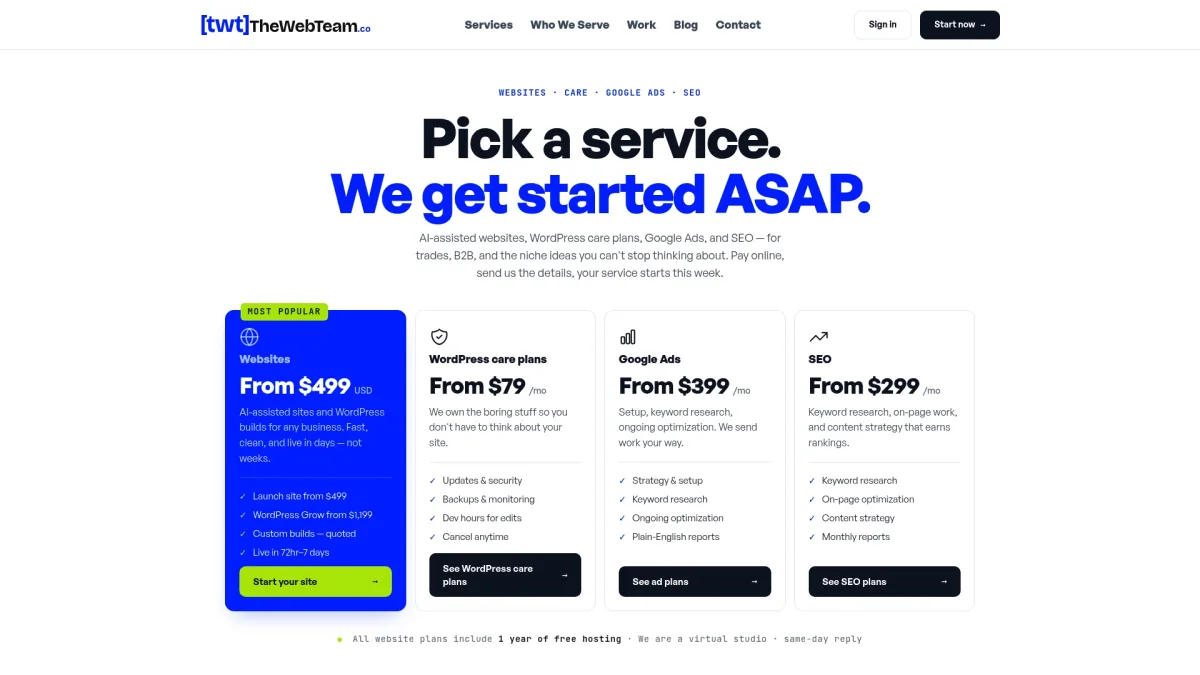
Plans from Thewebteam include managed backups, staging environments, security monitoring, and ongoing SEO support. There are no hidden costs, and sites launch within days rather than weeks. If you want to hand off the technical side while keeping full visibility over your site's performance, Thewebteam is worth a look at thewebteam.co.