
A website error 404 is an HTTP status code that means the server received your request but could not find the page at the URL you asked for. The technical term is HTTP 404, defined in the HTTP/1.1 specification as a "Not Found" client error. 404 is a client-side error, meaning the server is working fine. The problem is the resource simply does not exist at that address. For website owners and digital marketers, understanding what triggers a 404, how it affects SEO, and how to fix it correctly is the difference between a healthy site and one quietly bleeding traffic.
What is website error 404, exactly?
An HTTP 404 is distinct from other error types. A DNS error means the server itself could not be reached. A 500 error means the server crashed. A 404 means the server is reachable but has no resource at the requested URL. That is an important distinction because it tells you exactly where to look when troubleshooting.
The "404" number comes from the HTTP status code system, which classifies server responses into groups. Codes in the 400 range are client errors. Code 404 specifically means "Not Found." Browsers display this as a "404 page not found" message, though the exact wording depends on how the site is configured.

Google confirms that 404 errors are normal web responses and do not automatically hurt your rankings. A 404 only becomes a real problem when the missing page had SEO value, such as backlinks, organic traffic, or internal links pointing to it. That nuance changes how you should prioritize fixes.
What causes a 404 error on a website?
The causes of a 404 fall into a few clear categories. Knowing which one applies to your situation points you straight to the fix.
- Deleted pages without redirects. A page gets removed but no 301 redirect is set up. Anyone who had the old URL bookmarked, or any site linking to it, hits a dead end.
- Changed URLs or slugs. Renaming a blog post or product page changes its URL. Without a redirect from the old address to the new one, the old URL returns a 404.
- Broken internal links. A typo in a link, or a link that was never updated after a page move, sends visitors to a URL that does not exist.
- Missing or corrupted .htaccess file. In WordPress, the .htaccess file controls URL rewriting. If it is missing or misconfigured, clean permalink structures break and pages return false 404 errors.
- Server or DNS misconfiguration after migration. Moving a site to a new host or domain without updating server rules causes entire sections of a site to go missing.
- External links you cannot control. Another website links to a page you deleted or renamed. You cannot fix their link, but you can redirect your end.
Common causes include broken links, changed permalinks, and missing .htaccess files, all of which are fixable once you know what to look for.
Pro Tip: In WordPress, go to Settings > Permalinks and click "Save Changes" without changing anything. This regenerates the .htaccess file and fixes a large number of false 404 errors caused by permalink corruption, with zero coding required.
How do 404 errors affect SEO and user experience?
The SEO impact of a 404 depends entirely on context. A 404 on a page that nobody links to and nobody visits has no meaningful SEO consequence. Google's John Mueller advises treating 404s as normal signals that tell search engines certain pages are intentionally gone. Panic is not warranted.
The real damage happens in three specific situations.
| Situation | SEO or UX consequence |
|---|---|
| 404 on a page with backlinks | Link equity is lost; those links no longer pass authority to your site |
| 404 on a page with organic traffic | Rankings drop because the URL no longer exists to rank |
| 404 on a page with internal links | Crawl budget is wasted; Googlebot follows dead links instead of live content |
Frequent, unmanaged 404s also hurt user experience. A visitor who clicks a link and lands on a broken page is likely to leave. That increases your bounce rate and reduces the chance of conversion.
One common mistake makes things worse. Redirecting all 404 errors to the homepage is treated by Google as a "soft 404." It does not pass link equity, and it confuses both users and search engines. A redirect should go to the most relevant replacement page, not a generic fallback.
A healthy number of 404 responses actually shows Googlebot is actively crawling your site. The goal is not zero 404s. The goal is zero unmanaged 404s on pages that matter.
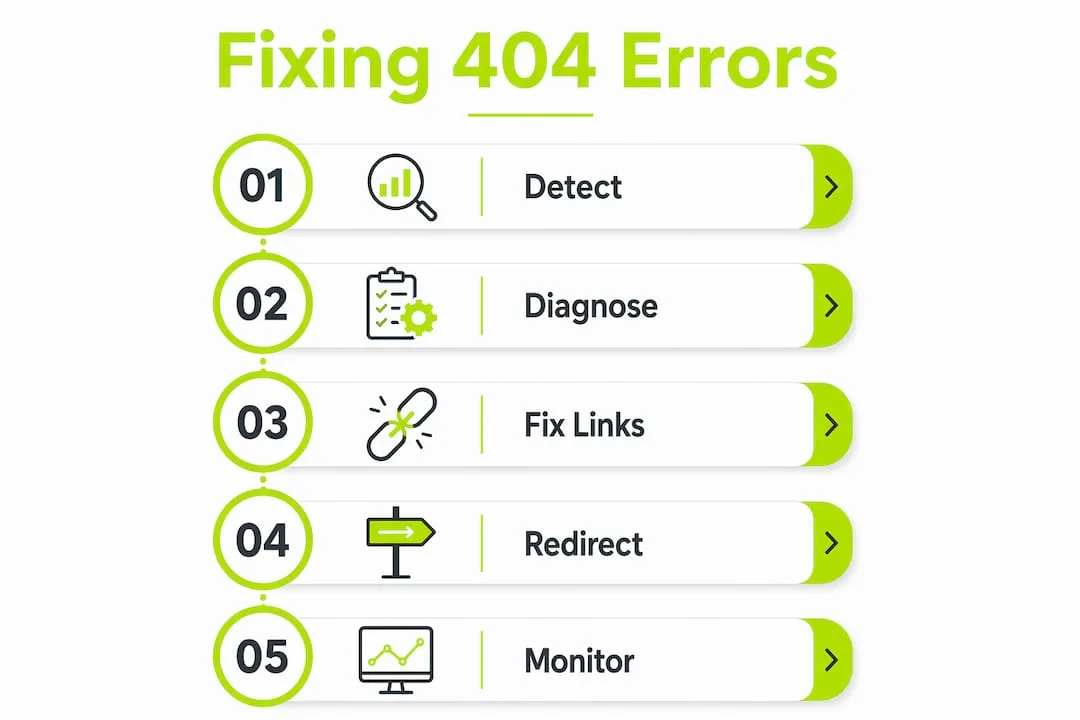
How to detect and fix 404 errors effectively
Finding and fixing 404s is a structured process. Work through it in order to avoid wasting time on errors that do not matter.
-
Audit with Google Search Console. Open the Coverage or Pages report and filter for "Not Found" errors. This gives you a list of URLs Google tried to crawl and could not find. Export the list.
-
Check for backlinks and traffic. Before fixing anything, run the 404 URLs through an SEO tool to check whether they have backlinks or organic traffic. Triage URLs with SEO tools to identify which missing pages actually had value. Only those need immediate attention.
-
Set up 301 redirects for valuable pages. A 301 redirect tells browsers and search engines that a page has permanently moved. Point the old URL to the most relevant live page. In WordPress, a redirect plugin handles this without touching server files.
-
Fix broken internal links directly. If a page still exists but an internal link points to the wrong URL, update the link. A redirect is a workaround. Fixing the source link is cleaner.
-
Regenerate WordPress permalinks. Go to Settings > Permalinks and save. WordPress permalink settings are a frequent source of false 404 errors, and this fix takes under a minute.
-
Update .htaccess after migrations. If you moved your site to a new domain or server, verify that your .htaccess rewrite rules are intact. A missing rule can cause hundreds of pages to return 404s simultaneously.
-
Use 410 for permanently removed pages. A 410 status code means "Gone" and tells Google the page was intentionally deleted with no replacement. Google drops 410 pages from its index faster than 404 pages.
-
Avoid the Search Console Removals tool as a fix. The Removals tool only hides URLs temporarily from search results. It does not resolve the underlying error. Permanent fixes require server-level changes like redirects or page restoration.
Pro Tip: Set a recurring monthly calendar reminder to check your Google Search Console coverage report. Catching 404s early, before they accumulate backlinks or traffic losses, keeps fixes simple and fast.
Keeping your technical SEO in order means treating 404 detection as routine maintenance, not a crisis response.
How to customize 404 error pages for better user experience
A custom 404 page does not fix the broken URL, but it keeps visitors on your site instead of sending them away. A well-built 404 page turns a dead end into a navigation opportunity.
- Clear, human messaging. Tell the visitor plainly that the page could not be found. Avoid technical jargon. "We could not find that page" works better than "HTTP 404 Not Found."
- Your site's branding. A 404 page that matches your site's design reassures visitors they are still in the right place. A generic server error page looks like a crash.
- A search bar. Let visitors search for what they were looking for. This is the single most useful element on a 404 page.
- Links to popular or relevant pages. A short list of your most visited pages, or links to your homepage and main categories, gives visitors somewhere to go.
- A short, helpful explanation. One sentence explaining why the page might be missing (moved, deleted, or mistyped URL) reduces frustration.
Custom 404 pages should include clear messaging, branding, and helpful navigation to reduce bounce rates. One technical note: some browsers, including older versions of Internet Explorer, replace custom 404 pages with their own default error page if your custom page is below a certain file size. Keep your 404 page above 512 bytes to prevent this.
In WordPress, most themes include a 404.php template file you can edit directly. If yours does not, a page builder or a dedicated 404 plugin handles the job without code. Good site architecture practices make custom 404 pages easier to build because your navigation structure is already clean and logical.
Key takeaways
A 404 error only damages your site when it affects pages with real SEO value. Prioritize fixes by traffic and backlinks, not by volume.
| Point | Details |
|---|---|
| 404 is a normal HTTP response | It signals a missing resource, not a server failure or automatic SEO penalty. |
| Prioritize by value, not volume | Fix 404s on pages with backlinks or organic traffic first; ignore low-value orphan URLs. |
| Use 301 redirects correctly | Point old URLs to relevant replacement pages, never to the homepage. |
| WordPress has a quick fix | Resaving permalink settings regenerates .htaccess and resolves many false 404 errors instantly. |
| Custom 404 pages retain visitors | A branded page with a search bar and helpful links keeps users on your site after hitting a dead end. |
My honest take on 404 errors after years of site work
Most website owners I talk to treat 404 errors like a fire alarm. They see a list of them in Google Search Console and assume the site is broken. That reaction is almost always disproportionate to the actual problem.
The truth is that a site with zero 404s is often a site that is not growing. Pages get deleted. URLs change. Content evolves. Google's own guidance confirms that 404 crawling is a sign Googlebot is engaged with your site, not a sign something is wrong. The metric that matters is not the count of 404s. It is whether those 404s are on pages that had real value.
Where I see real damage is in two places: blanket redirects to the homepage, and ignoring 404s entirely for months. The first confuses Google and wastes link equity. The second lets traffic and rankings quietly erode on pages that used to perform.
My advice is simple. Run a monthly audit. Check the website maintenance basics on a schedule. When you find a 404, spend 60 seconds checking if it had backlinks or traffic before deciding what to do. Most of the time, the answer is "do nothing." Occasionally, the answer is "set a redirect immediately." Knowing the difference is the whole skill.
— Jonathon
How Thewebteam handles 404 errors for your site
Persistent 404 errors are often a symptom of a deeper site structure problem, not just a missing page. Thewebteam specializes in WordPress website development and maintenance for trades, B2B businesses, and niche industries, which means the team handles permalink structures, .htaccess configurations, and redirect setups as part of standard site care.

If your Google Search Console is showing a growing list of 404 errors, or if you recently migrated your site and traffic has dropped, Thewebteam can audit your site, identify which errors need fixing, and implement the right redirects without the guesswork. See the full range of services available for business websites, or get in touch to talk through your specific situation.