
Technical SEO is defined as the practice of optimizing a website's infrastructure so search engines and AI systems can efficiently discover, crawl, render, and index its content. Without this foundation, even the best-written pages stay invisible in search results. For webmasters and digital marketers, understanding technical SEO basics is not optional. It is the prerequisite for every other SEO effort, from content creation to link building.
What is technical SEO explained: the six core components
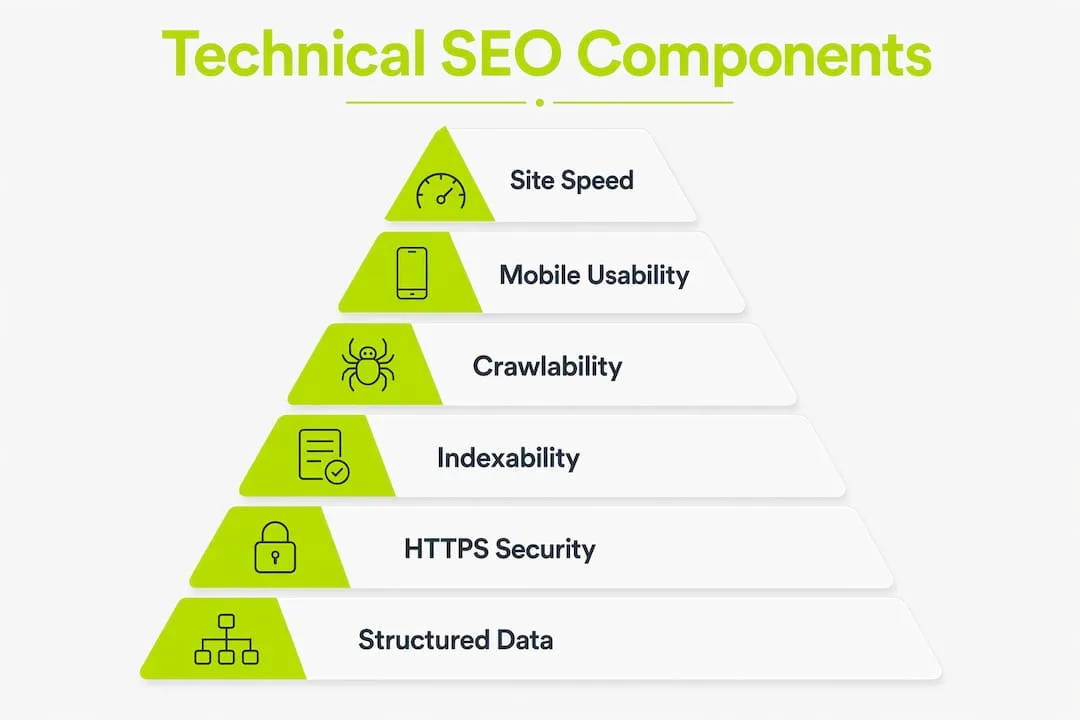
Technical SEO covers six core areas: crawlability, indexability, site speed, HTTPS security, mobile usability, and structured data. Each one controls a different part of how search engines access and rank your site.
Crawlability
Crawlability is a search engine's ability to reach and read your pages. Googlebot follows links and reads your robots.txt file to decide where it can and cannot go. A misconfigured robots.txt can accidentally block entire sections of your site. Internal linking also matters here. Pages with no inbound links, often called orphan pages, rarely get crawled.

Indexability
Indexability determines whether a crawled page gets stored in Google's index. A page can be crawled but never indexed due to a noindex tag, a canonical conflict, or a duplicate content problem. Google now indexes fewer pages than it did a decade ago, making indexability a critical factor. Every page you want to rank must be clearly eligible for indexing.
Site speed and Core Web Vitals
Google uses Core Web Vitals as a direct ranking factor. The three metrics are Largest Contentful Paint (LCP), Interaction to Next Paint (INP), and Cumulative Layout Shift (CLS). LCP measures how fast the main content loads. INP measures how quickly the page responds to user input. CLS measures how much the layout shifts during loading. Poor scores in any of these areas hurt both rankings and user experience.
Pro Tip: Use Google Search Console's Core Web Vitals report to identify which specific URLs are failing, then prioritize fixes by traffic volume.
HTTPS and security
HTTPS and mobile usability are non-negotiable technical SEO factors. Google treats HTTPS as a ranking signal and flags HTTP pages as "not secure" in Chrome. Mixed content errors, where a secure page loads insecure resources, can degrade trust and trigger crawl issues. Every page on your site should load over HTTPS with no mixed content warnings.
Mobile usability
Google uses mobile-first indexing, meaning it primarily crawls and indexes the mobile version of your site. A site that looks fine on desktop but breaks on a phone will rank based on its broken mobile version. Responsive design, readable font sizes, and properly spaced tap targets are the minimum standard.
Structured data
Schema.org structured data markup helps search engines understand what a page is about beyond its raw text. It can enable rich results in search listings, such as star ratings, FAQs, and product prices. Structured data does not directly boost rankings, but it improves how your content is understood and displayed. That clarity pays off in click-through rates.
How does technical SEO differ from on-page and off-page SEO?
Technical SEO, on-page SEO, and off-page SEO are three distinct pillars. Each one does a different job, and they must work together for a site to rank well.
On-page SEO covers the content and HTML elements on each page: title tags, headings, meta descriptions, keyword usage, and internal linking. It focuses on relevance. Off-page SEO covers external signals, primarily backlinks from other websites, that signal authority and trust to search engines.
Technical SEO focuses on the site's infrastructure. It does not care about what your content says. It cares about whether search engines can reach, read, and process that content at all. Without a solid technical foundation, your content may never appear in search results because crawlers cannot access or process it.
The order of operations matters. Fixing technical SEO first is the correct sequence. Publishing great content on a technically broken site is wasteful. Link building to a site with indexing problems produces no ranking gains.
| SEO type | Focus area | Primary goal |
|---|---|---|
| Technical SEO | Site infrastructure | Enable crawling, indexing, and rendering |
| On-page SEO | Content and HTML elements | Signal relevance to search queries |
| Off-page SEO | External links and signals | Build authority and trust |
For a deeper look at how site structure connects to crawlability, the role of site architecture directly affects how efficiently Googlebot moves through your pages.
How to conduct a technical SEO audit
A technical SEO audit is a systematic review of your site's infrastructure to find and fix problems that block search performance. Audits begin with crawling your site to identify crawlability, indexability, and content visibility issues. Run a full audit at least once per quarter.
-
Crawl your site with a site audit tool. A site crawler maps every URL it finds and flags errors like broken links, redirect chains, and blocked pages. Review the crawl report for 4xx errors, 5xx errors, and pages blocked by robots.txt.
-
Check your robots.txt and XML sitemap. Confirm that robots.txt does not block pages you want indexed. Verify your XML sitemap is submitted in Google Search Console and contains only indexable URLs.
-
Audit indexability in Google Search Console. Use the Index Coverage report to find pages with "noindex" tags, canonical conflicts, or "crawled but not indexed" status. Indexing conflicts are silent and can cause pages to vanish from search results without any alert.
-
Measure Core Web Vitals. Pull the Core Web Vitals report in Google Search Console. Cross-reference with PageSpeed Insights for page-level diagnostics. Prioritize fixing LCP issues first, as they have the most direct impact on perceived load speed.
-
Verify HTTPS across every page. Check for mixed content warnings using your browser's developer tools or a site audit tool. Confirm all HTTP URLs redirect permanently to their HTTPS equivalents.
-
Test mobile usability. Use Google Search Console's Mobile Usability report to find pages with touch element spacing issues, viewport configuration problems, or content wider than the screen.
-
Review structured data implementation. Use Google's Rich Results Test to validate Schema.org markup on key page types: product pages, blog posts, FAQ pages, and local business pages. Fix any errors that prevent rich result eligibility.
Pro Tip: Prioritize fixes in this order: crawlability first, indexability second, Core Web Vitals third. Fixing what search engines cannot reach is always more urgent than fixing what they can already see.
For B2B sites specifically, the technical SEO checklist from Thewebteam covers the exact audit steps tailored to that context.
Why technical SEO matters more in 2026 with AI search
AI-driven search platforms have raised the stakes for technical SEO. AI search systems like ChatGPT and Google AI Overviews rely on the same technical fundamentals as traditional search engines to find and surface content. A site that blocks crawlers, loads slowly, or lacks structured data is less likely to be cited by AI systems in their answers.
The specific ways AI search increases technical SEO pressure include:
- Crawl access is non-negotiable. AI systems cannot cite content they cannot reach. Robots.txt rules that block AI crawlers, intentionally or not, remove your content from consideration entirely.
- Structured data accelerates AI understanding. Schema.org markup gives AI systems explicit signals about what a page covers, who wrote it, and what entities it references. Pages without structured data require more inference, which increases the chance of misrepresentation.
- Indexing selectivity is increasing. Google indexes a smaller share of crawled URLs than it did previously. AI systems draw from indexed content. A page that is not indexed is a page that does not exist for AI-generated answers.
- Page clarity matters. AI systems extract content from pages. Clean HTML, logical heading structures, and clear paragraph organization make extraction more accurate. Cluttered or JavaScript-heavy pages create extraction errors.
- Site speed affects crawl budget. Slow sites get crawled less frequently. Less frequent crawling means slower content updates reach search indexes, which delays visibility in both traditional and AI search results.
The practical takeaway is direct: technical SEO is no longer just about ranking in the ten blue links. It is about being accessible to every system that surfaces web content to users.
Key Takeaways
Technical SEO is the non-negotiable foundation that determines whether search engines and AI systems can access, index, and understand your site's content at all.
| Point | Details |
|---|---|
| Technical SEO is infrastructure | It controls crawling, indexing, and rendering before content or links can have any effect. |
| Fix technical issues first | Producing content on a broken site wastes resources if pages cannot be crawled or indexed. |
| Core Web Vitals are ranking signals | LCP, INP, and CLS directly affect rankings and must be monitored continuously. |
| Structured data aids AI systems | Schema.org markup helps both search engines and AI platforms understand page content accurately. |
| Audits must be ongoing | Technical SEO is not a one-time fix. Quarterly audits catch new issues before they compound. |
Technical SEO is a system, not a checklist
Most webmasters treat technical SEO as a one-time project. They run an audit, fix the flagged issues, and move on. That approach fails within months. Sites change constantly. New pages get published, plugins get updated, redirects break, and crawl budgets shift. The problems come back.
What I have seen work consistently is treating technical SEO as a maintenance system, not a project. The sites that rank well over time are the ones where someone checks Google Search Console every week, not every year. The sites that fall are usually the ones where a noindex tag got left on a category page after a migration, and nobody noticed for six months.
The most overlooked issue I encounter is indexing conflicts. A page can be crawled, look fine in a browser, and still never appear in search results because of a canonical tag pointing to the wrong URL. These problems are invisible without active monitoring. Google Search Console's Index Coverage report is the single most underused tool in most webmasters' workflows.
My honest advice: before you write another blog post or build another backlink, spend an hour in Google Search Console. Check what is actually indexed. You may find that a significant portion of your site is not in the index at all. Fix that first. Everything else is secondary. The DIY website maintenance checklist from Thewebteam is a practical starting point for building that habit.
— Jonathon
How Thewebteam can strengthen your site's technical foundation
Technical SEO problems are common, but they are fixable with the right team behind your site.
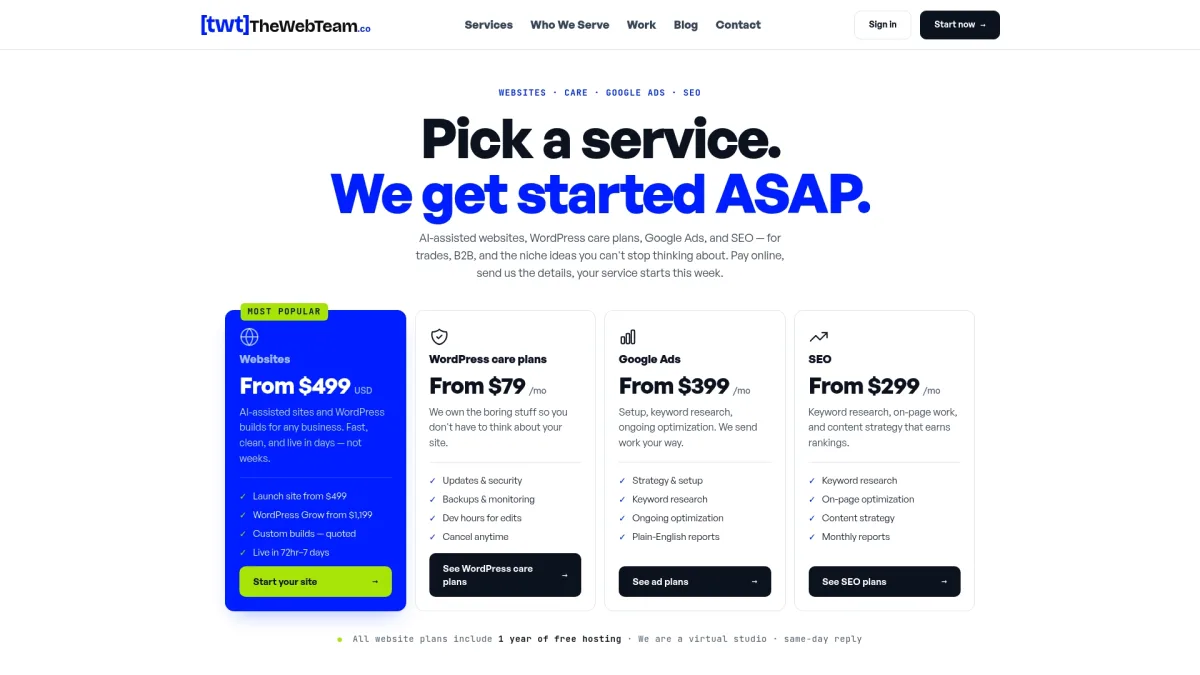
Thewebteam builds and maintains WordPress websites for trades, B2B businesses, and niche industries, with technical SEO built into every project from day one. That means clean site architecture, HTTPS configuration, Core Web Vitals optimization, and structured data implementation handled before launch, not patched afterward. If your site has indexing gaps, crawl errors, or mobile usability issues, Thewebteam's SEO and web design services address them directly. You can also review real project outcomes in the web design portfolio to see what a technically sound site looks like in practice.