
The most effective approach to niche business Google Ads targeting combines audience signal stacking, Custom segments, Customer Match, and creative-as-filter tactics with tight measurement hygiene. Right now, your five highest-leverage actions are: build custom intent segments from your best search terms and competitor URLs, upload a Customer Match list, start Search campaigns on exact-match keywords, set Maximize Conversions as your initial bid strategy, and enable offline conversion imports before you spend a dollar.
Before you go further, here are the rules that separate niche campaigns that survive from ones that burn budget in 72 hours:
- Do: Stack first-party signals (Customer Match, remarketing lists) with custom intent segments to compensate for low keyword volume.
- Do: Judge early performance on outbound CTR and landing-page conversion rate, not impressions or raw CPC.
- Do: Refresh creatives every 2–3 weeks. Small audiences see the same ad fast.
- Don't: Apply broad-campaign benchmarks to niche campaigns. A 1.0–1.6% outbound CTR is normal for a tight niche; panicking at that number and killing the campaign early is the most common mistake.
- Don't: Launch Smart Bidding strategies like Target ROAS before you have 30–50 conversions per month. You'll starve the algorithm.
Table of Contents
- What are the main Google Ads audience segment types?
- How do you actually target niche audiences in Google Ads?
- How do you build Custom Segments and Customer Match lists?
- What lookback windows work best for niche remarketing?
- Which bidding strategy should you use for a small niche campaign?
- How do you keep niche ad creatives fresh without burning out your audience?
- How do you set up measurement and attribution for niche campaigns?
- What do niche campaign blueprints actually look like?
- Pre-launch checklist: what to verify before your campaign goes live
- Key Takeaways
- The part most guides skip about niche Google Ads
- How Thewebteam helps niche businesses get campaigns ready to perform
- Useful sources for further reading
What are the main Google Ads audience segment types?
Google Ads organizes audience segments into three broad groups, and knowing which group to reach for first is half the battle.
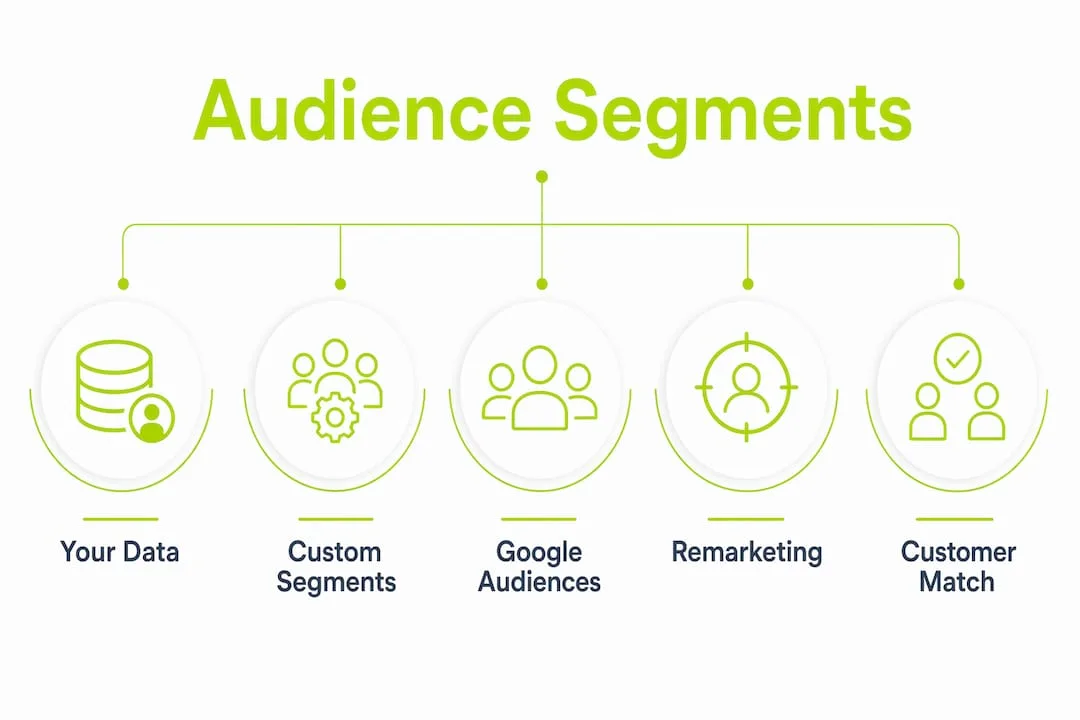
Google-provided segments
These are segments Google builds from its own behavioral data. You don't upload anything; you just select from the library.
- Affinity segments reflect long-term interests and lifestyle patterns. Think "outdoor enthusiasts" or "small business owners." Best for awareness and top-of-funnel reach, not for closing deals.
- In-market segments capture people actively researching a purchase category right now. These are your best Google-provided option for conversion-focused campaigns.
- Detailed demographics cover life-stage markers like homeownership, parental status, and education level. Useful for layering precision on top of other segments.
- Life events target people around major transitions: moving, getting married, starting a business. For niche businesses selling to people in transition, these can be surprisingly effective.
Your data segments
This group covers lists you build from your own customer data.
Remarketing lists capture people who visited your site, watched your video, or interacted with your app. For niche businesses with modest traffic, these lists are small but extremely high-intent. Customer Match lets you upload hashed email addresses, phone numbers, or mailing addresses to reach known contacts across Search, Display, YouTube, Gmail, and Discovery. Customer Match also seeds lookalike audiences, which matters when your prospecting pool is thin.
Custom segments
Custom segments are where niche advertisers have a real edge. You define the audience by entering:
- Search terms your ideal customer types into Google
- Website URLs they visit (competitor sites, trade publications, industry forums)
- Apps they use
Google then finds people who match that behavioral fingerprint. For a B2B niche selling industrial safety equipment, entering the URLs of three trade publications and a handful of procurement-specific search terms will produce an audience far tighter than any pre-built affinity category.
Quick decision guide: Start with Customer Match and custom intent segments if you have any first-party data at all. Add In-market segments for prospecting. Use Affinity only for awareness campaigns where reach matters more than precision.
How do you actually target niche audiences in Google Ads?
The core problem with niche campaigns is thin data. Low search volume means keywords alone can't feed Smart Bidding enough signal. The solution is signal stacking: layering multiple audience inputs so Google's algorithm has enough to learn from even when keyword volume is low.
Signal stacking in practice
Successful niche advertisers stack signals by combining Customer Match uploads, custom intent segments, and remarketing lists as audience signals in Performance Max, and as observation layers on Search campaigns. Each signal source adds a different behavioral dimension. Customer Match tells Google who your best customers are. Custom intent tells it what they research. Remarketing tells it who already knows you. Together, they give the algorithm a richer picture than any single source provides.

Audience layering: AND/OR/NOT logic
Combined segments let you build precise audiences using Boolean logic. A practical example for a B2B niche: "In-market for commercial HVAC equipment AND top household income bracket BUT NOT existing customers." You get the precision of multiple filters without manually excluding irrelevant traffic one keyword at a time.
Use AND logic when you need both conditions to be true (narrowing). Use OR logic when you want to expand reach across similar groups. Use NOT (exclusions) to prevent budget waste on audiences that look similar but convert at zero.
Exclusions that matter
Negative audiences are as important as positive ones. Common exclusions for niche campaigns:
- Existing customers (when your goal is acquisition only)
- Audiences with high affinity but zero purchase intent (e.g., "general interest" affinity categories that overlap with your niche by accident)
- Geographic segments outside your service area
When your lists are too small
Google requires a minimum of 1,000 active users for most audience-based targeting to activate. If you're below that threshold, creative-as-filter is your best alternative. Broad targeting combined with opinionated ad copy that names the niche explicitly lets the ad itself filter out unqualified users. A headline like "Built for independent veterinary clinics" will generate near-zero clicks from irrelevant users, and within roughly 48 hours the algorithm identifies the cohort that responds. It's a slower path to precision, but it works when lists are thin.
Pro Tip: When using creative-as-filter, pair it with broad match keywords and Maximize Clicks initially. You're using the creative to do the audience work the segment can't do yet. Once you accumulate 300–500 clicks, review the search term report and convert the winners to exact match.
How do you build Custom Segments and Customer Match lists?
Building a custom segment
- In Google Ads, navigate to Tools > Shared Library > Audience Manager.
- Click the + button and select Custom segment.
- Name the segment clearly (e.g., "Industrial Safety Buyers — Trade Pubs").
- Choose your input type: search terms people use, URLs of sites they visit, or apps they use.
- Enter 10–20 specific search terms that your ideal buyer uses when actively researching (not generic terms — specific ones like "OSHA-compliant fall protection harness" rather than "safety equipment").
- Add 5–10 competitor or trade publication URLs.
- Save and allow 24–48 hours for the segment to populate.
The quality of your inputs determines everything. Weak, generic inputs produce a wide audience. Specific, intent-rich inputs produce a tight one.
Uploading a Customer Match list
- Export your CRM contacts as a CSV. Include email addresses, phone numbers, and mailing addresses where available.
- Google hashes the data automatically on upload, but you can pre-hash using SHA-256 if your privacy policy or legal team requires it.
- In Audience Manager, select + > Customer list and upload the file.
- Set the membership duration (up to 540 days).
- Allow 24–48 hours for match processing.
Match rates vary. A well-maintained B2B email list typically matches at 30–50%. Consumer lists with personal Gmail addresses often match higher. If your match rate is below 20%, the most common culprits are old email addresses, work emails that don't match personal Google accounts, and formatting errors in the CSV.
Privacy and consent requirements
In North America, Customer Match requires that you collected the data with proper consent under applicable privacy laws, including Canada's PIPEDA and U.S. state-level regulations like the California Consumer Privacy Act. Your privacy policy must disclose that you share data with advertising platforms. Never upload data purchased from a third party. Google's Customer Match policy prohibits using sensitive categories (health conditions, financial status, political affiliation) as targeting signals.
Pro Tip: Use your Customer Match list as a seed for lookalike (similar) audiences. Even a list of 500 matched users can generate a lookalike pool large enough to run prospecting campaigns. This is one of the fastest ways to scale a niche campaign without sacrificing relevance.
What lookback windows work best for niche remarketing?
Niche businesses often have longer purchase cycles than consumer e-commerce. A manufacturer evaluating industrial software doesn't convert in a week. Setting a 30-day lookback window, which is the default, means you'll drop most of your warm prospects before they're ready to buy.
The right lookback window depends on your sales cycle and the behavior you're tracking.
| List Type | Recommended Lookback | Typical Use Case |
|---|---|---|
| Site visitors (all pages) | 90–180 days | Broad awareness retargeting |
| High-intent page visitors (pricing, contact) | 30–60 days | Direct conversion push |
| Video viewers (25%+ completion) | 60–90 days | Mid-funnel nurture |
| Customer Match (existing customers) | 540 days | Upsell, cross-sell, loyalty |
| Cart abandoners / form starters | 14–30 days | Urgency-based retargeting |
Segmenting by behavior, not just visit
Don't treat all site visitors as one list. Someone who read a blog post for 45 seconds is not the same as someone who spent four minutes on your pricing page and then visited your case studies. Segment by page depth, time on site, and specific events (form start, video play, document download). Each segment gets different creative and different bids.
Frequency capping for small pools
Small remarketing audiences burn out fast. A pool of 800 people seeing your ad five times a day will develop banner blindness within days. Cap frequency at 3–5 impressions per user per day on Display and YouTube. On Search, frequency is naturally controlled by search behavior, so the concern is less acute. Monitor frequency reports weekly and reduce caps if CTR drops more than 20% week-over-week without a corresponding drop in conversions.
Which bidding strategy should you use for a small niche campaign?
The answer depends almost entirely on how many conversions you're generating per month, and most niche advertisers start with far too aggressive a strategy.
-
0–10 conversions/month: Use Maximize Clicks on Search or Maximize Conversions with a conservative daily budget. Your only job at this stage is to generate conversion data. Don't set a Target CPA yet. The algorithm has nothing to learn from.
-
10–30 conversions/month: Switch to Maximize Conversions without a CPA target. Let the system optimize toward conversions while you accumulate data. CPA will be higher than you want. Accept it. You're buying data.
-
30+ conversions/month: Now you can introduce Target ROAS or Maximize Conversion Value. Smart Bidding strategies need roughly 30–50 conversions per month to function reliably. Below that threshold, the algorithm is guessing.
A useful budget rule: set your daily budget at roughly 10× your target CPA during the learning phase. If you're aiming for a $200 CPA, run at $2,000/month minimum while learning. This isn't a permanent spend level; it's the cost of getting the algorithm trained. Cutting budget during the learning phase extends it, which costs more in the long run.
Manual CPC and Enhanced CPC remain valid fallbacks when conversion volume is genuinely too low for any automation. They give you direct control over bids by keyword and audience, which matters when you're managing a $500/month budget across five exact-match keywords. The trade-off is time: manual bidding requires daily attention that Maximize Conversions does not.
How do you keep niche ad creatives fresh without burning out your audience?
Small audiences see the same creative fast. Creative fatigue appears faster in niche campaigns, and the fix is proactive refresh on a 2–3 week cadence rather than waiting for metrics to drop.
At launch, build at least three creative angles across two formats. A practical starting mix:
- Angle 1: Problem-aware (names the specific pain the niche experiences)
- Angle 2: Proof-based (a specific outcome, number, or case study reference)
- Angle 3: Differentiator (what you do that generic alternatives don't)
What to test first
Don't test everything at once. Prioritize in this order:
- Headline: Does it use the language your niche actually uses, or generic marketing speak? "Built for independent pharmacies" outperforms "Trusted by healthcare businesses" for a pharmacy-focused SaaS product every time.
- Value proposition: Speed vs. cost vs. reliability. Which one your niche cares about most is often not what you assume.
- Landing page hook: The first sentence above the fold should mirror the ad headline. Mismatched messaging between ad and landing page is one of the most common conversion killers in niche campaigns.
Creative-as-filter in practice
When your audience is too small for segment-based targeting to activate, the headline does the filtering work. A line like "For licensed electricians managing 10+ crews" will generate near-zero impressions from irrelevant users. The algorithm identifies the right micro-cohort within roughly 48 hours when the creative signal is that specific.
Pro Tip: Use Roadbase or a similar creative workflow platform to schedule your refresh cycles in advance. Set a calendar reminder for day 14 of every campaign. By the time you're reviewing performance, the next creative set should already be in production.
How do you set up measurement and attribution for niche campaigns?
Poor attribution is the silent killer of niche campaigns. When your conversion volume is already low, one misconfigured tag or a missed offline conversion import can make a profitable campaign look like a failure.
Offline conversion imports
For B2B and high-consideration niches, most conversions happen off-platform: a phone call, a signed contract, a demo that closes two weeks after the click. Importing those offline conversions back into Google Ads is what lets Smart Bidding optimize toward real revenue rather than form fills. Attribution hygiene is critical for niche markets; without offline imports, the algorithm optimizes to the wrong signal.
Setup steps:
- Export your CRM's closed-won deals with the Google Click ID (GCLID) attached.
- Format the file per Google's offline conversion import template.
- Upload weekly (or automate via CRM integration with Salesforce, HubSpot, or Zapier).
- Set the conversion action to "Import from CRM" and assign appropriate conversion value.
Event Match Quality (EMQ)
EMQ measures how well your conversion events match to Google's user graph. A low EMQ score means Google can't reliably attribute conversions to the right users, which degrades Smart Bidding performance. To improve EMQ:
- Send hashed email addresses with every conversion event (server-side tagging via Google Tag Manager's server container improves this significantly).
- Include phone numbers and first/last name where available.
- Use the Google Tag Diagnostics tool to check for missing parameters.
Conversion window settings
Default conversion windows (30 days for most actions) are too short for B2B and niche sales cycles. For B2B buying cycles that run 60–120 days, extend your conversion window to match. A click that generates a sale 45 days later should count.
| Measurement Check | What to Verify | Tool |
|---|---|---|
| Tag firing | Fires on correct pages, no duplicates | Google Tag Assistant |
| Conversion deduplication | Order ID or transaction ID passed | GA4 + Google Ads linked |
| Offline import cadence | Weekly minimum, GCLID match rate >80% | Google Ads conversion report |
| EMQ score | Target 7+ out of 10 | Google Ads diagnostics |
| Conversion window | Set to match actual sales cycle | Conversion action settings |
What do niche campaign blueprints actually look like?
Three templates you can copy and adapt today.
Blueprint 1: Search-first B2B niche
Goal: Generate qualified leads for a specialized B2B service (e.g., industrial compliance consulting).
- Campaign type: Search
- Keywords: 15–25 exact-match and phrase-match long-tail terms
- Audiences: Customer Match (observation) + custom intent segment (targeting) + In-market for relevant category (observation)
- Bid strategy: Maximize Conversions, no CPA target for first 60 days
- Creative: 3 RSAs, each with a different angle (problem, proof, differentiator)
- Early KPIs to watch: Outbound CTR target 1.0–1.6%, form conversion rate above 3%, cost per lead trending down week 3 onward
- Negative keywords: Add 20–30 negatives before launch (job seekers, DIY terms, competitor brand names you don't want to pay for)
Blueprint 2: Demand Gen + Performance Max for awareness
Goal: Build brand recognition in a niche where most buyers don't know you exist yet.
- Campaign type: Demand Gen for top-of-funnel, PMax for conversion
- Audiences: Custom segment (trade publication URLs + industry search terms) as signal; Affinity for reach
- Bid strategy: Maximize Clicks on Demand Gen; Maximize Conversions on PMax
- Creative: Video (15–30 seconds) + static display; use creative-as-filter headlines
- Note: Performance Max performs better when given high-quality audience signals and verified conversion events. Don't launch PMax without at least one offline conversion action configured.
- Early KPIs: CPM (expect 30–60% higher than broad campaigns), video view rate, landing-page session duration
Blueprint 3: Local niche with heavy Customer Match retargeting
Goal: Re-engage a known local customer base for a specialty trade service (e.g., commercial kitchen equipment repair).
- Campaign type: Search + Display remarketing
- Audiences: Customer Match as primary targeting; remarketing list (past site visitors, 90-day window); combined segment (Customer Match OR remarketing)
- Bid strategy: Target CPA once 30+ conversions are logged; Maximize Conversions before that
- Creative: Hyper-local copy ("Serving [City] commercial kitchens since [year]"), seasonal offers
- Budget split: 60% Search, 40% Display remarketing
- Landing page: Mirror the ad's local specificity. A generic homepage kills the conversion rate. See landing-page elements for B2B sites for a practical checklist.
Pre-launch checklist: what to verify before your campaign goes live
Run through these before you hit Enable on any niche campaign.
- Tag verification: Use Google Tag Assistant to confirm your Google tag fires on every key page with no duplicate events. A double-firing purchase tag inflates conversion counts and corrupts Smart Bidding.
- Conversion test events: Trigger at least one test conversion (form submit, phone call, purchase) and confirm it appears in Google Ads within 3 hours.
- EMQ check: Open the conversion action settings and confirm your EMQ score is above 6. Below that, fix your tagging before spending.
- Audience size sanity check: Confirm Customer Match list has processed and shows at least 1,000 matched users. If not, plan to run creative-as-filter until the list grows.
- Lookback windows: Verify remarketing lists use the correct duration for your sales cycle, not the default 30 days.
- Exclusion lists: Confirm existing customers are excluded from acquisition campaigns. Confirm geographic targeting matches your actual service area.
- Creative review: Read every headline aloud. Does it name the niche specifically? Does the landing page headline match the ad headline within 5 words?
- Mobile speed: Run your landing page through Google PageSpeed Insights. A score below 70 on mobile will hurt Quality Score and conversion rate simultaneously. Check your technical SEO baseline if you're not sure where to start.
- Budget sanity: Confirm your daily budget is at least 10× your target CPA. If it's not, extend your timeline or reduce your CPA target.
- Offline conversion import: Confirm the import is configured, the GCLID field is being captured in your CRM, and the first manual upload has been tested successfully.
Key Takeaways
Signal quality beats volume in niche Google Ads targeting: stack Customer Match, custom intent segments, and offline conversions before scaling budget.
| Point | Details |
|---|---|
| Stack signals, not just keywords | Combine Customer Match, custom intent, and remarketing to give Smart Bidding enough data when search volume is low. |
| Start with Maximize Conversions | Use Maximize Conversions early; switch to Target ROAS only after reaching 30–50 conversions per month. |
| Refresh creatives every 2–3 weeks | Small audiences see the same ad fast; proactive refresh prevents fatigue before metrics decline. |
| Extend conversion windows | Default 30-day windows miss long B2B sales cycles; match the window to your actual close timeline. |
| Thewebteam for niche campaign setup | Thewebteam handles landing-page builds, conversion tracking, and Google Ads management for trades and B2B niches. |
The part most guides skip about niche Google Ads
The conventional wisdom says niche campaigns fail because of small audiences. That's not quite right. They fail because operators apply the wrong diagnostic framework in the first 72 hours.
A broad e-commerce campaign that generates 1.8% CTR and $12 CPCs looks healthy. A niche B2B campaign generating 1.2% CTR and $28 CPCs looks broken. But the niche campaign might be performing exactly as it should. The problem isn't the numbers; it's the benchmark. When you measure a niche campaign against broad-campaign averages, you'll kill it before it has a chance to prove itself.
The trade-off every niche operator faces is this: tight control gives you precision but starves the algorithm. Loose control feeds the algorithm but wastes budget on irrelevant traffic. The answer isn't to pick one permanently. It's to start tight with exact-match Search and Customer Match targeting, collect 30 conversions, then loosen gradually by adding phrase match, observation audiences, and eventually Performance Max as a secondary campaign.
Landing page quality matters more in niche campaigns than in broad ones, too. When your audience is small and your CPMs are high, every click is expensive. A slow, generic landing page that doesn't speak the niche's language wastes that spend twice: once on the click, once on the bounce. Thewebteam's approach to targeting decision-makers with SEO applies directly here: the page needs to mirror the language your audience uses, not the language your marketing team prefers.
The operators who win with niche Google Ads aren't the ones with the biggest budgets. They're the ones who invest in measurement hygiene first, creative specificity second, and patience with the learning phase third.
How Thewebteam helps niche businesses get campaigns ready to perform
Running Google Ads for a niche business without a fast, well-structured landing page is like running water through a leaky pipe. The traffic arrives and disappears. Thewebteam builds WordPress sites for trades, B2B businesses, and niche industries with conversion tracking, Google Tag setup, and landing-page structure built in from day one, not bolted on afterward.
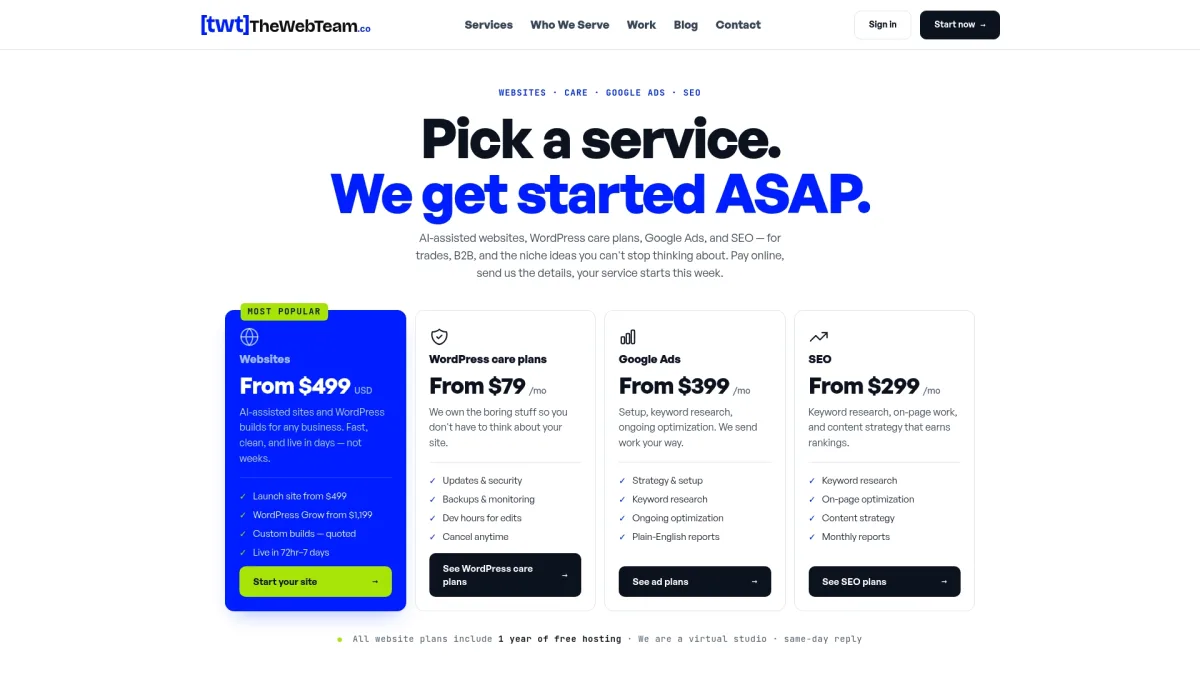
Before you hire anyone to manage your ads, three things need to be in place: your Google tag firing correctly on all key pages, a landing page that speaks directly to your niche (not a generic homepage), and at least a 90-day customer email list ready for Customer Match upload. Thewebteam handles all three as part of its site builds and care plans, with no hidden costs and no long-term contracts that lock you in before you see results.
If you're a trades business, specialty B2B company, or niche service provider ready to run ads that actually convert, see what Thewebteam builds and who it serves or review services and pricing to understand what a managed setup looks like for your type of business.
Useful sources for further reading
-
About audience segments — Google Ads Help: Google's official taxonomy of all audience segment types, including availability by campaign type. Start here before building any segment.
-
Create and manage audiences — Google Ads API documentation: Technical reference for how audiences are structured across Performance Max and Demand Gen campaigns. Useful if you're integrating CRM data programmatically.
-
Get started with audience segments — Google Ads API documentation: Covers all user list types (remarketing, Customer Match, custom audiences, lookalike segments) with setup guidance. The clearest official explanation of how each list type is generated.
-
Google Ads for niche markets: What actually works in 2026 — Search Engine Land: Covers Smart Bidding thresholds, signal stacking, and Performance Max considerations for low-volume niches. One of the more practically grounded pieces available.
-
How to target niche markets with ads: 2026 guide — AdLibrary: Detailed tactical guide covering creative-as-filter, early KPI benchmarks (CTR, CPM ranges), and audience expansion strategies for small lists.
-
Google Ads audience targeting: All 14 segment types explained — WordStream: Practical breakdown of all 14 audience segment types with use-case guidance across the funnel. Good reference for understanding which segment to reach for at each campaign stage.
-
How to target niche markets with ads — AdStellar: Focused specifically on creative fatigue and refresh cadence for small audiences. The 2–3 week refresh recommendation is grounded here.
-
Telegram for B2B outbound: Your 2026 playbook — Mastros: Useful companion piece if you're building multi-channel signal stacking beyond Google Ads, particularly for B2B outreach that feeds your Customer Match lists.