
Your hosting provider sets the technical ceiling for everything your site can achieve. Before a single image loads or a script runs, the server has already determined how fast the first byte arrives, whether the page is reachable at all, and which protocols are available to accelerate delivery. That is the role of hosting in website performance: it is the infrastructure layer that either enables your optimization work or quietly undermines it.
A slow server response time pushes your Largest Contentful Paint past Google's 2.5-second threshold. An unreliable host causes crawl timeouts that slow indexation. A plan with no scaling path turns a successful campaign into a downtime event. These are not edge cases — they are predictable consequences of treating hosting as a commodity.
Three things to check right now:
- TTFB (Time to First Byte): Run a test from your primary audience location using WebPageTest or GTmetrix. Anything above a moderate threshold is a red flag; aim for fast server response times.
- Uptime SLA: Read the actual contract, not the marketing page. Confirm what "99.9% uptime" means in practice and whether scheduled maintenance counts against it.
- CDN/edge coverage: Verify whether your host includes a content delivery network or whether you need to add one separately.
Pro Tip: Measure TTFB from the city or region where most of your traffic originates, not from the host's nearest data center. A server in Dallas can look fast from Texas and sluggish from Toronto.
Key Takeaways
Hosting is the performance multiplier that determines whether every other optimization on your site actually works — or gets cancelled out before the browser renders a single pixel.
| Point | Details |
|---|---|
| TTFB is the core hosting metric | Aim for under 200 ms; pages with TTFB above 800 ms are materially more likely to fail the LCP ? 2.5s threshold. |
| Uptime SLA translates to real downtime | 99.9% uptime allows roughly 8.8 hours of downtime per year; timing during traffic peaks amplifies the SEO and conversion cost. |
| NVMe storage and modern protocols matter | NVMe, HTTP/3, and TLS 1.3 each reduce server-side latency; confirm all three before committing to a plan. |
| CDN plus fast origin beats front-end tweaks | Combining a fast origin with CDN caching stabilizes LCP across regions and traffic spikes more durably than front-end optimization alone. |
| Thewebteam includes hosting in every build | Fast WordPress builds with first-year hosting, CDN-ready configuration, and ongoing maintenance plans remove the guesswork from hosting decisions. |
Table of Contents
- How does hosting affect the page-request lifecycle?
- Which hosting factors actually drive speed and reliability?
- What are the performance trade-offs across hosting types?
- How does uptime affect SEO and crawl behavior?
- How do you handle traffic spikes without performance degrading?
- How does hosting connect to Core Web Vitals scores?
- How do you evaluate and choose a hosting provider?
- Thewebteam hosting audit: what to test and in what order
- Migration planning and what hosting upgrades actually cost
- Why Thewebteam treats hosting as a strategic decision on every build
- What Thewebteam can do for your site's performance
- FAQ
- Sources
How does hosting affect the page-request lifecycle?
Every page load starts with a DNS lookup, then a TCP handshake, then a TLS negotiation, and only then does the server begin processing the request and sending bytes. Your host controls the last three of those steps directly: the quality of its network determines TCP round-trip time, its TLS stack version affects handshake speed, and its CPU, RAM, and storage determine how fast it processes PHP, queries the database, and assembles the HTML response.
TTFB is the metric that captures all of that server-side work in a single number. It is composed of network latency plus TLS negotiation time plus server processing time. A host with fast NVMe storage, a modern TLS 1.3 stack, and adequate PHP worker allocations can deliver a first byte in under 100 ms. A congested shared server with spinning-disk storage and outdated TLS 1.2 can take 800 ms or more before the browser has received a single character.
That gap matters because TTFB is the starting gun for LCP. Google's good threshold for LCP is ? 2.5 seconds. If the server alone consumes 800 ms, you have 1.7 seconds left for DNS, TCP, image download, and render. That is a tight budget on any connection, and it becomes impossible on mobile or high-latency networks.
Target server response time: under 200 ms. Pages that hit this threshold give the browser enough headroom to meet LCP even when the network adds latency.
What hosting cannot fix: heavy JavaScript bundles, layout shift caused by images without declared dimensions, and render-blocking CSS. Those are front-end problems. On-page SEO elements like image sizing and resource hints live in your code, not your server configuration. Knowing the boundary between server-side and front-end responsibility saves you from chasing the wrong fix.
Which hosting factors actually drive speed and reliability?
The technical factors that separate fast hosts from slow ones are specific and measurable. Here is what to evaluate.
Server location and CDN coverage
Geographic distance adds latency at roughly 1 ms per 100 km of fiber path. A server in Chicago serving a visitor in Vancouver adds 20–30 ms of round-trip time before any processing begins. Multiply that across DNS, TCP, and TLS, and you are already at 60–90 ms before the server does any work. A CDN with edge nodes in Seattle or Vancouver eliminates most of that gap for cached assets. For uncached, dynamic requests, server location still matters, which is why choosing a data center close to your primary audience region is worth confirming before you sign up.
CPU, RAM, and PHP worker limits
On shared and entry-level VPS plans, CPU and RAM are shared resources. When a neighboring site spikes in traffic, your PHP workers queue up and your TTFB climbs. The number of PHP-FPM workers your plan allocates determines how many concurrent requests your site can handle without queuing. Hosts that publish their worker limits are being transparent; hosts that do not are usually hiding a low number. Under realistic load, p95 and p99 latency tell you far more about real-world experience than median TTFB alone.
Storage: NVMe vs. SSD vs. HDD
NVMe storage reduces database query time and uncached page generation time measurably. The difference between NVMe and a traditional spinning HDD can account for several hundred milliseconds in TTFB under load, particularly for WordPress sites with complex queries or WooCommerce catalogs. Most quality hosts have moved to SSD at minimum; NVMe is the current standard worth requiring.
Bandwidth, throughput, and "unlimited" plans
Advertised unlimited bandwidth often means unthrottled up to a soft cap, after which throughput is reduced. Read the acceptable use policy. What matters operationally is sustained throughput under concurrent connections, not peak burst speed on an empty server.
Protocol support and server software
HTTP/2 multiplexes requests over a single connection, reducing overhead for pages with many assets. HTTP/3 adds QUIC transport, which handles packet loss better and reduces connection setup time on mobile networks. TLS 1.3 cuts the handshake from two round trips to one. These are not theoretical gains: modern protocol support translates to measurable TTFB reductions, especially for first-time visitors without a cached connection. Server software matters too: Nginx and LiteSpeed handle concurrent connections more efficiently than Apache's prefork model, and LiteSpeed's native cache layer can serve WordPress pages without hitting PHP at all.
Security, backups, and availability features
DDoS protection and a web application firewall (WAF) prevent availability attacks from taking your site offline. Without them, a modest volumetric attack can saturate your server and cause the same SEO damage as a hosting failure. Automated daily snapshots with a tested restore path protect against data loss and reduce recovery time. A host that offers backups but charges extra for restores, or that stores backups on the same server, is offering the appearance of protection rather than the substance of it.
Pro Tip: Ask any prospective host for their p95 latency figures under load, not just their average TTFB. A host with a 90 ms median but a 1,200 ms p95 has a serious concurrency problem that will surface exactly when you need it least.
What are the performance trade-offs across hosting types?
Choosing a hosting model is a trade-off between cost, isolation, control, and managed optimization. Here is how each type performs in practice.
Shared hosting puts hundreds of sites on one server. Costs are low, but so is isolation. Web.dev's TTFB guidance notes that shared environments often produce slower and more variable response times due to noisy neighbors and limited PHP worker allocations. For a small, mostly static brochure site with low traffic, a quality shared host with a CDN in front can perform acceptably. For a dynamic WordPress site, a WooCommerce store, or any site with logged-in users, shared hosting becomes a liability under moderate load.
VPS hosting gives you a dedicated slice of CPU and RAM. Performance is more predictable, and you can tune PHP, configure caching, and choose your web server software. The trade-off is maintenance: you own the server configuration, security patching, and software updates unless you pay for managed VPS.
Dedicated servers offer full resource isolation and the highest ceiling for raw performance. They make sense for high-traffic sites where predictable p99 latency matters. The cost and operational overhead are significant, and most small-to-mid-size businesses do not need them.
Managed WordPress hosting is the practical middle ground for most WordPress sites. The host handles PHP tuning, caching layers, automatic updates, and often includes a CDN. TTFB on well-configured managed WordPress platforms tends to be consistent because the stack is purpose-built for WordPress's query patterns.
Cloud hosting (auto-scaling infrastructure) offers the most flexible scaling path. Resources expand with traffic and contract when demand drops. The cost model is consumption-based, which can be efficient or unpredictable depending on traffic patterns.
| Feature | Shared | VPS | Managed WordPress | Cloud |
|---|---|---|---|---|
| Resource isolation | Low | Medium | Medium–High | High |
| Typical TTFB behavior | Variable, often slow | Predictable with tuning | Consistent, optimized | Consistent, scalable |
| Scaling path | Plan upgrade only | Vertical resize | Tier upgrade or CDN | Auto-scaling |
| Maintenance burden | Low | High | Low | Medium |
| Cost range | Lowest | Low–Medium | Medium | Variable |
How does uptime affect SEO and crawl behavior?
Uptime is not just a reliability metric — it is an SEO signal. When Googlebot requests a URL and receives a 500 error or a timeout, it records the failure. A single incident rarely causes lasting damage. Repeated failures cause Google to reduce crawl frequency for that site, which slows the indexation of new content and can delay ranking recovery after updates.
The math on uptime SLAs is worth knowing. A 99.9% uptime guarantee allows roughly 8.8 hours of downtime per year. That sounds acceptable until the outage happens during a product launch, a paid campaign, or a seasonal traffic peak. A 99.5% SLA allows 43.8 hours per year — nearly two full days. The timing of downtime matters as much as the total duration.
Large-sample analyses show that pages with TTFB above 800 ms are materially more likely to fail LCP thresholds, and the median TTFB for top-ranking pages sits under 200 ms. The selection effect is real: faster hosts correlate with better rankings, partly because faster servers produce fewer crawl errors and partly because they meet Core Web Vitals thresholds more consistently.
Uptime red flags to watch for:
- No public status page or incident history
- Scheduled maintenance windows that count against the SLA
- SLA credits that require you to file a claim within 24–48 hours of an incident
- Incident response times measured in hours, not minutes
- No replication or failover for database servers
Hosting reliability is especially consequential for revenue-generating sites. A short outage during a campaign peak can cause more lost conversions than the annual hosting cost. The business impact of slow or unavailable sites compounds when you factor in the crawl budget consequences that follow.
How do you handle traffic spikes without performance degrading?
Traffic spikes expose the gap between what your hosting plan promises and what it actually delivers. A campaign that drives 10x normal traffic to a shared or under-provisioned VPS will produce timeouts, queued requests, and degraded TTFB — exactly when you need the site to perform.
The most durable approach combines a fast origin with CDN caching and origin shielding. Pairing a fast origin server with a CDN and proper caching stabilizes LCP across geography and traffic spikes more effectively than front-end tweaks alone. For anonymous visitors, a CDN can serve the entire page from edge cache without touching your origin server at all.
Practical mitigation techniques:
- CDN with origin shielding: Consolidates CDN-to-origin requests through a single shield node, reducing origin load during spikes.
- Full-page caching for anonymous users: Serve cached HTML to logged-out visitors. WordPress plugins like WP Rocket or server-level caching on LiteSpeed can handle this without code changes.
- Rate limiting: Prevents a single IP or bot from consuming disproportionate server resources during a spike.
- Queue and backoff: For checkout or form-submission endpoints, a queuing layer prevents database saturation when concurrent writes spike.
- Vertical resize or tier upgrade: Know your host's upgrade path before you need it. A plan that requires a full migration to scale is a plan that will fail you during a campaign.
Cloud hosting with auto-scaling handles burst traffic most gracefully, but it requires configuration to avoid runaway costs. For most small-to-mid-size WordPress sites, a managed WordPress plan with a CDN in front covers the majority of spike scenarios without requiring infrastructure management.
Pro Tip: Before a major campaign or product launch, run a staged load test using a tool like k6 or Loader.io against a staging environment that mirrors your production stack. Confirm that TTFB stays under 400 ms at 3–5x your expected peak concurrent users.
How does hosting connect to Core Web Vitals scores?
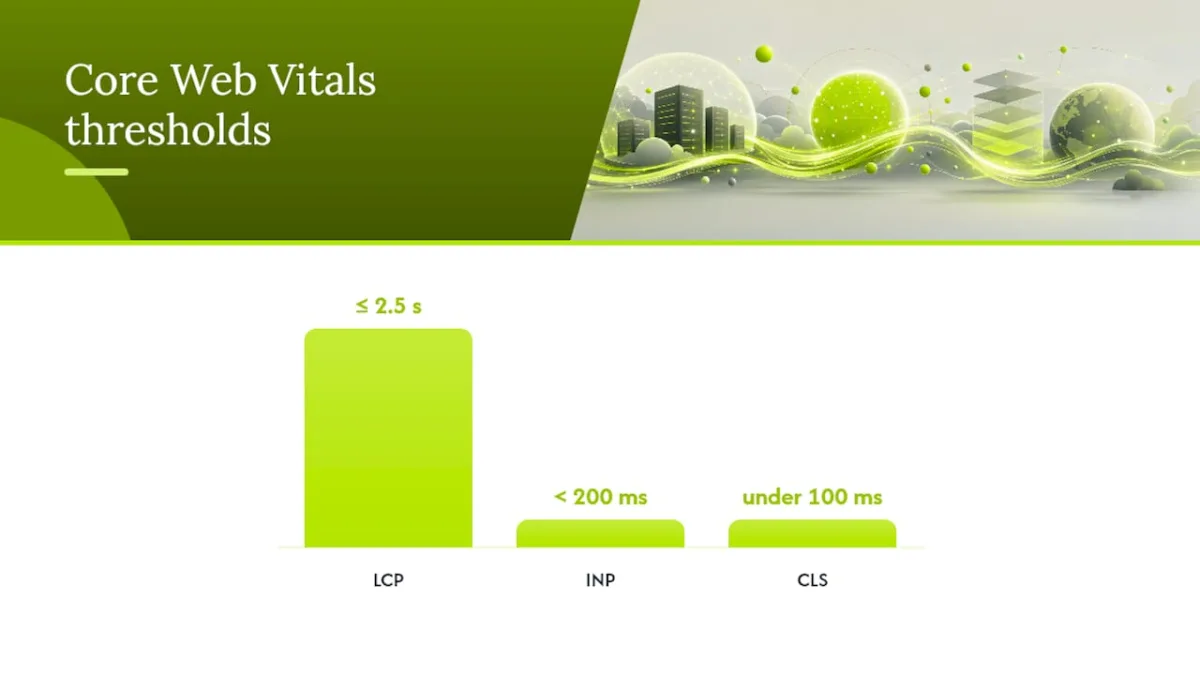
Core Web Vitals are Google's user experience benchmarks, and hosting influences two of the three directly.
LCP (Largest Contentful Paint) is the most hosting-sensitive metric. It measures how long it takes for the largest visible element to render. Because LCP starts the clock at navigation start, a slow TTFB directly delays LCP. A server that takes 600 ms to respond leaves only 1.9 seconds for the rest of the load sequence to hit the ? 2.5s good threshold.
INP (Interaction to Next Paint) measures responsiveness to user input. Hosting affects INP primarily for server-side rendered pages where interaction triggers a server request. A fast server reduces the round-trip time for those requests, though most INP problems are JavaScript execution issues on the client side.
CLS (Cumulative Layout Shift) measures visual stability. Hosting has almost no direct influence on CLS. Layout shift is caused by images without declared dimensions, late-loading fonts, and dynamically injected content. This is a front-end problem.
| Core Web Vital | Good Threshold | Hosting Influence | Primary Lever |
|---|---|---|---|
| LCP | ? 2.5 seconds | High | TTFB, server processing, CDN |
| INP | < 200 ms | Low–Medium | Server response for SSR requests |
| CLS | under 100 ms | Minimal | Image dimensions, font loading |
Measurement steps:
- WebPageTest: Run from a US East and US West node (or your primary audience region) with a 4G throttle profile. Record TTFB and LCP for both cached and uncached runs.
- Lighthouse: Run in Chrome DevTools or via the CLI for a lab-based snapshot. Note that Lighthouse simulates a single user — it does not reflect concurrent load.
- CrUX (Chrome User Experience Report): Access field data via Google Search Console's Core Web Vitals report or PageSpeed Insights. This reflects real users on real connections, which is what Google uses for ranking signals.
Lab tests tell you what the server can do in isolation. Field data tells you what real users experience across devices, networks, and geographies. Both matter: lab tests diagnose problems; field data confirms whether fixes worked.
How do you evaluate and choose a hosting provider?
Choosing a host on price alone is how sites end up on slow, oversold servers. A structured evaluation takes 30–60 minutes and prevents months of performance problems.
Must-have checklist (prioritized):
- TTFB evidence from independent benchmarks, not the host's own marketing page
- NVMe or SSD storage confirmed in the plan specifications
- CDN included or available as a first-party add-on
- HTTP/3 and TLS 1.3 support confirmed
- Automated daily backups with a tested restore path and a stated RTO
- DDoS protection and WAF included at the plan level
- Published p95/p99 latency data or access to real-user monitoring
- A clear scaling path that does not require a full server migration
Questions to ask the sales or technical team:
- How many PHP-FPM workers does my plan allocate, and what happens when they are exhausted?
- What is your backup RTO (recovery time objective) and RPO (recovery point objective)?
- How many CDN PoPs (points of presence) do you operate in North America?
- Can you share load-testing results or third-party benchmark reports for this plan tier?
- What is your process when my site exceeds plan resource limits — throttle, queue, or auto-upgrade?
Red flags that should stop a purchase:
- No replication or geographic redundancy for database servers
- Resource limits that are not disclosed until after signup
- No public uptime history or status page
- Backup storage on the same physical server as the site
- Support response times measured in business days
Decision flow: If your site has dynamic, uncached pages (WooCommerce, membership, booking systems), start with managed WordPress or a VPS with NVMe and a CDN. If your site is mostly static with low concurrent traffic, a quality shared plan with a CDN in front can meet Core Web Vitals targets. When in doubt, run a technical SEO checklist against your current setup before committing to a migration.
Thewebteam hosting audit: what to test and in what order
A performance audit starts with live TTFB, not Lighthouse. Open a terminal and run curl -o /dev/null -s -w "%{time_starttransfer} " against your homepage from a server in your primary audience region. That number, stripped of browser overhead, is your raw server response time. If it is above 400 ms on a warm server, the host is the problem, not the front end.
Next, run WebPageTest from a node geographically close to your audience. Use a realistic connection profile (4G LTE or Cable) and request both a first-view (uncached) and repeat-view (cached) run. The waterfall view will show whether TTFB is the dominant delay or whether a large render-blocking resource is the real culprit. Record TTFB, LCP, and the time to first HTML byte separately.
Then run Lighthouse via Chrome DevTools for a lab snapshot. Lighthouse is useful for diagnosing specific issues (unused JavaScript, render-blocking resources, image sizing), but it simulates a single user on a throttled connection. It will not reveal concurrency problems.
Finally, check CrUX data in Google Search Console's Core Web Vitals report. This is the field data Google actually uses. If your lab scores look good but your CrUX LCP is in the "needs improvement" range, the gap usually points to a real-user network condition or a geographic latency issue that a CDN would address.
Acceptable thresholds for action: TTFB above 400 ms on uncached requests, LCP above 3.0 seconds in field data, p95 latency above 1,000 ms under normal load, or error rates above 0.5% over a 24-hour window. Any one of these warrants investigation; two or more together warrant a hosting change.
Pro Tip: Always run benchmarks at multiple times of day, including off-peak hours. A host that performs well at 2 AM but degrades at noon is oversold — the off-peak result is the ceiling, not the floor.
Migration planning and what hosting upgrades actually cost
Hosting upgrades are not free, even when the new plan costs less than expected. The real costs are developer time, testing, and the risk window during DNS cutover.
Typical price ranges (North American market, 2026):
- Budget shared hosting: $3–$10/month. Acceptable for low-traffic static sites; risky for dynamic WordPress.
- VPS (unmanaged): $20–$80/month. Requires server administration skills or a developer.
- Managed WordPress: $30–$150/month depending on traffic tier. Includes stack optimization, caching, and often a CDN.
- High-availability cloud (managed): $100–$500+/month. Appropriate for high-traffic or revenue-critical sites needing auto-scaling and redundancy.
Migration checklist:
- Full site backup verified and stored off-server before any changes
- DNS TTL reduced to 300 seconds at least 48 hours before cutover to minimize propagation delay
- Staging environment on the new host verified against production (plugins, forms, checkout flows)
- CDN pre-warmed by crawling key URLs before DNS switch
- Post-migration monitoring active for TTFB, error rates, and uptime for at least 72 hours
- Rollback plan confirmed: old host kept active for 48–72 hours post-cutover
Indirect costs are real. A WordPress migration that looks simple can surface plugin incompatibilities, PHP version conflicts, or caching configuration issues that require 4–8 hours of developer time to resolve. Budget for it.
For revenue-generating sites, the payback calculation is usually straightforward. A hosting upgrade that improves LCP from 4.0 seconds to 2.2 seconds typically produces measurable conversion rate improvement within weeks, and the SEO impact of faster sites compounds over months as crawl frequency increases and Core Web Vitals scores improve in field data. Site architecture and hosting together form the technical foundation that all other SEO work builds on.
Why Thewebteam treats hosting as a strategic decision on every build
Most agencies treat hosting as an afterthought — a line item the client sorts out after the site is built. That approach consistently produces sites that look good in a demo environment and underperform in production. Hosting determines whether the optimization work we do on a site actually shows up in the metrics that matter.
The Search Engine Journal's framing captures it precisely: excellent hosting will not substitute for poor content, but poor hosting can nullify excellent optimization. That is the operating principle behind how Thewebteam approaches every build.
When Thewebteam builds a WordPress site, hosting is part of the specification from day one, not a decision left to the client after launch. Fast builds, predictable TTFB, and a CDN-ready stack are built into the process because retrofitting a slow host after launch costs more time and money than getting it right initially.
What Thewebteam can do for your site's performance
If your site is on a slow host, failing Core Web Vitals, or you are not sure where the bottleneck is, Thewebteam can run a fast performance audit and give you a clear picture of what is holding your scores back.
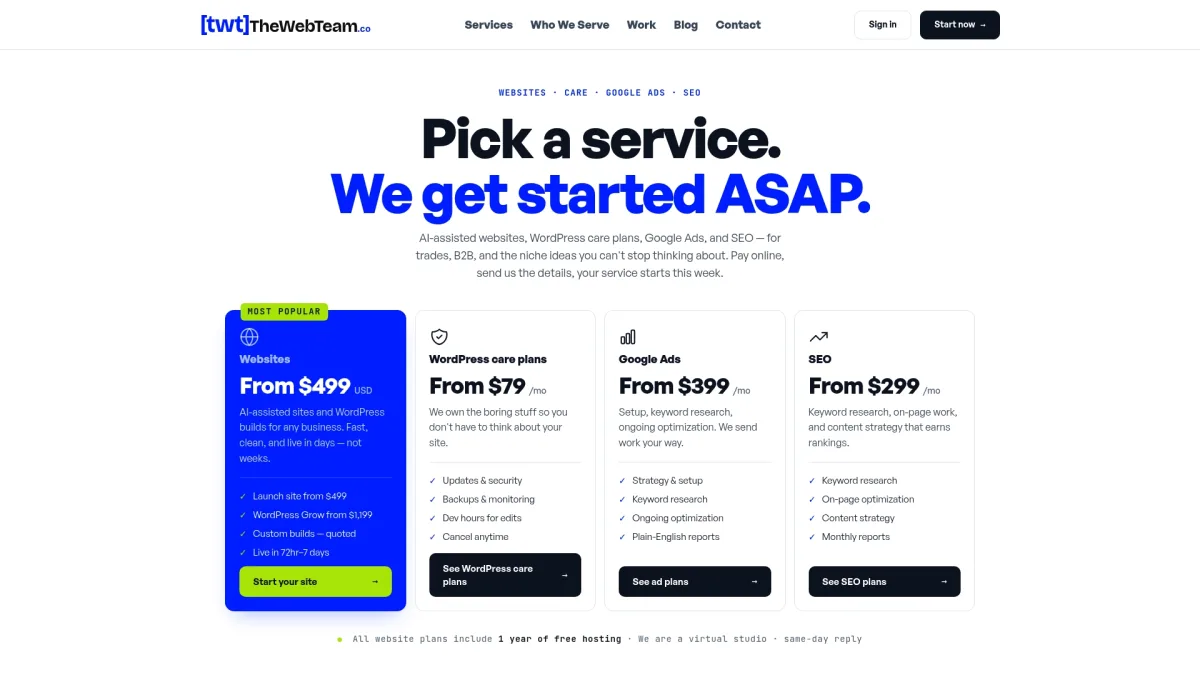
Thewebteam builds fast WordPress sites for trades, B2B, and niche businesses, with hosting included for the first year and no hidden costs. Every build is configured for performance from the start: NVMe-backed hosting, CDN coverage, and a stack tuned for WordPress. For existing sites, the WordPress maintenance and care plans include ongoing performance monitoring, so slow TTFB or a failing Core Web Vitals score gets caught before it costs you rankings or conversions.
The process is direct: contact Thewebteam, get a clear audit of your current performance, and receive a cost estimate with no vague retainer language. See the portfolio for examples of what fast, well-hosted WordPress builds look like in practice. If your site is losing ground to competitors with faster servers, that is a fixable problem — and fixing it starts with knowing exactly where the delay is.