
Website maintenance on a budget is defined as keeping your site secure, updated, and performing well without overspending, by combining the right tools, affordable plans, and smart scheduling. For small business owners, the cost of proper upkeep ranges from as little as $5 per month for a basic personal blog to over $500 per month for a full-featured ecommerce store. The core tasks are consistent regardless of budget: CMS and plugin updates, security monitoring, backups, uptime checks, and content edits. Getting these right without breaking the bank is entirely achievable. You just need to know where to spend and where to save.
What are the essential tasks in website maintenance?
Every website requires a fixed set of recurring tasks to stay secure and functional. Skipping any one of them creates risk, and that risk compounds over time.
The non-negotiable tasks are:
- CMS, plugin, and theme updates: Outdated software is the leading entry point for hackers. Updates patch security holes and keep your site compatible with modern browsers.
- Security hardening and monitoring: This includes firewall rules, login protection, and malware scanning. Without it, your site is an open target.
- Daily or weekly backups: A backup is your insurance policy. If something breaks, a recent backup means a restore takes minutes, not days.
- Uptime monitoring: Your site going down without you knowing costs you leads and sales. Uptime tools alert you the moment your site goes offline.
- Content updates and technical troubleshooting: Broken links, outdated contact forms, and slow-loading pages all hurt your search rankings and user experience.
Pro Tip: Set a recurring calendar reminder every two weeks to run through your maintenance checklist. Consistency beats intensity. A quick 30-minute check every fortnight prevents the kind of problems that take 30 hours to fix.
The DIY maintenance checklist from Thewebteam covers each of these tasks in detail, with step-by-step guidance tailored for small business owners who handle their own upkeep.

How much does website maintenance typically cost?
Pricing for website upkeep varies widely based on site type, complexity, and the level of support you need. Understanding the ranges helps you set a realistic budget before you commit to any plan.
| Site Type | Monthly Cost Range | What's Typically Included |
|---|---|---|
| Personal blog | $5–$25 | Basic hosting, manual updates |
| Small business site | $29–$79 | Security, backups, uptime monitoring |
| Mid-size business site | $79–$200 | Full care plan, content edits, support |
| Ecommerce store | $200–$500+ | Commerce-specific security, priority support |
Entry-level managed plans start at $29–$79 per month and include security hardening, backups, and uptime monitoring, often with 30-day money-back guarantees. That price point is accessible for most small businesses and removes the guesswork of doing it all yourself.
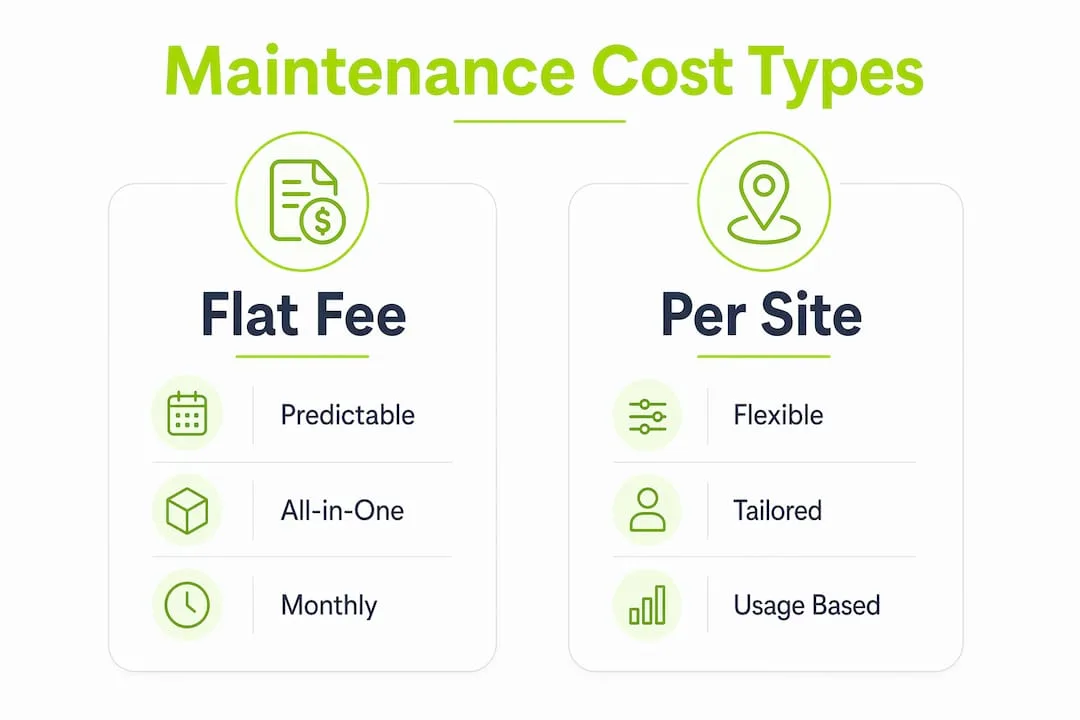
Two pricing models dominate the market. Flat-fee monthly plans give you cost predictability, which is ideal if you run a single site and want a fixed line item in your budget. Per-site pay models suit businesses managing multiple sites, where the per-site cost can drop significantly at scale. The right model depends on how many sites you manage and how much you value budget certainty versus flexibility.
Factors that push costs higher include custom code, WooCommerce or membership plugins, and the need for human support rather than automated tools. A site built on a page builder with a handful of plugins costs far less to maintain than a custom-coded ecommerce platform with dozens of integrations.
Managed WordPress hosting starts as low as $7.99–$22.99 per month and includes automated updates and basic security. That covers the server layer. It does not cover plugin conflicts, content edits, or broken functionality, which is where most maintenance problems actually occur.
What are budget-friendly strategies for website maintenance?
Keeping costs low does not mean cutting corners. It means choosing the right tools and approaches so you get full coverage without paying for services you do not need.
- Use platform-native management tools. AI website builders and managed platforms bundle hosting, updates, and basic security into one monthly fee. This eliminates the need to pay separately for each service.
- Choose no-contract, month-to-month plans. Long-term contracts lock you into pricing that may not reflect your actual needs. Month-to-month plans let you scale up or down without penalty.
- Automate backups and updates. Automated tools handle the repetitive work of daily backups and plugin updates without requiring your time. This is the single highest-value automation for any small business site.
- Combine DIY with professional support. Handle content updates and minor edits yourself. Pay a professional only for security hardening, malware removal, and technical troubleshooting. This split approach cuts costs without sacrificing coverage.
- Audit your plugins regularly. Every active plugin is a potential security risk and a performance drain. Removing unused plugins reduces your maintenance surface and lowers the chance of a conflict after an update.
Pro Tip: Before signing up for any maintenance plan, list every task your site actually needs. Compare that list against what each plan covers. You will often find that a $49/month plan covers everything you need, while a $149/month plan includes services your site does not require.
The services and pricing page at Thewebteam outlines plan tiers clearly, so you can match your site's needs to the right level of support without overpaying.
How does proactive maintenance prevent costly emergencies?
Reactive maintenance costs far more than proactive care. This is the single most important financial argument for treating upkeep as a fixed operating expense.
Recovering a hacked site costs between $200 and $5,000 or more. Rebuilding a site without backups costs $2,000 to $15,000 or more. A proactive maintenance plan costs $29 to $395 per month. The math is not close.
Ignoring website maintenance can result in downtime averaging $500–$2,500 per day in lost revenue for small businesses. A monthly care plan at $79 pays for itself the moment it prevents a single day of downtime.
Managed hosting alone does not protect you from these costs. Hosting providers manage server-level security and uptime at the infrastructure level. They do not update your plugins, fix broken forms, or restore your site after a malware infection. Those tasks require a dedicated maintenance plan.
The best practice for avoiding emergencies is a scheduled update cycle. Run plugin and theme updates on a staging environment before pushing them live. Schedule backups to run daily and store copies off-site. Set uptime alerts to notify you within minutes of any outage. These three habits alone eliminate the majority of emergency scenarios that small business owners face.
Reactive maintenance can cost ten times more than routine proactive care. Framed that way, a $79 monthly plan is not an expense. It is a $790 risk reduction.
Which affordable maintenance plans should small businesses consider?
The market for low-cost site management has matured significantly. Small business owners now have access to professional-grade plans at prices that fit tight budgets.
When evaluating any plan, look for these features:
- Security hardening included: The plan should actively protect your site, not just monitor it after a breach.
- Daily backups with restore options: Backups without a tested restore process are not backups. Confirm the plan includes one-click restore.
- Uptime monitoring: You need to know when your site goes down before your customers do.
- No long-term contracts: A cancel-anytime policy signals that the provider is confident in their service.
- Emergency response: Plans with defined response times for critical issues are worth the slight premium.
Comprehensive WordPress maintenance services start at $79 per month and include uptime monitoring, daily backups, malware removal, and emergency support, often with no contracts and money-back guarantees. That is a full coverage plan at a price most small businesses can absorb.
For businesses on the tightest budgets, automated care platforms offer per-site subscriptions covering backups, security monitoring, and updates for around $2 per site per month. These platforms are self-service but provide the core protection that prevents the most common and costly failures.
The right choice depends on how much of the work you want to handle yourself. If you are comfortable running updates and checking logs, a low-cost automated platform plus a professional security audit once per quarter is a solid approach. If you want full hands-off coverage, a managed plan at $49–$79 per month is the most cost-effective option.
Key Takeaways
Affordable website maintenance is achievable for any small business when you match the right plan to your actual site needs and treat upkeep as a fixed operating cost rather than an optional expense.
| Point | Details |
|---|---|
| Core tasks are non-negotiable | Updates, backups, security, and uptime monitoring are required for every site regardless of budget. |
| Plans start at $29/month | Entry-level managed plans cover the essentials without long-term contracts or setup fees. |
| Proactive care beats reactive repair | Emergency hack recovery costs $200–$5,000+; a monthly plan costs a fraction of that. |
| Managed hosting is not enough | Hosting covers the server layer only; plugin updates and content fixes require a separate plan. |
| DIY plus professional support saves money | Handle content edits yourself and pay professionals only for security and technical troubleshooting. |
What I've learned about website maintenance budgets
Most small business owners I've worked with make the same mistake: they treat website maintenance as something to deal with later. They launch the site, move on to running their business, and assume the site will take care of itself. It never does.
The businesses that get this right are the ones that budget for maintenance from day one, the same way they budget for insurance or accounting. They pick a plan that covers the basics, automate what can be automated, and call in a professional for anything that requires real expertise. That combination keeps costs predictable and prevents the kind of catastrophic failures that wipe out months of revenue in a single afternoon.
The uncomfortable truth is that DIY maintenance sounds cheaper until something goes wrong. A plugin conflict that breaks your checkout page on a Friday afternoon is not a $0 problem. It is a lost-weekend, lost-revenue problem. The businesses that avoid those situations are the ones that paid $49 a month to have someone else watching the site.
View your website the same way you view your physical storefront. You would not skip the cleaning, the security system, or the annual inspection. Your website deserves the same discipline.
Thewebteam's care plans for small businesses
Small businesses that want professional website coverage without the enterprise price tag have a clear option in Thewebteam.
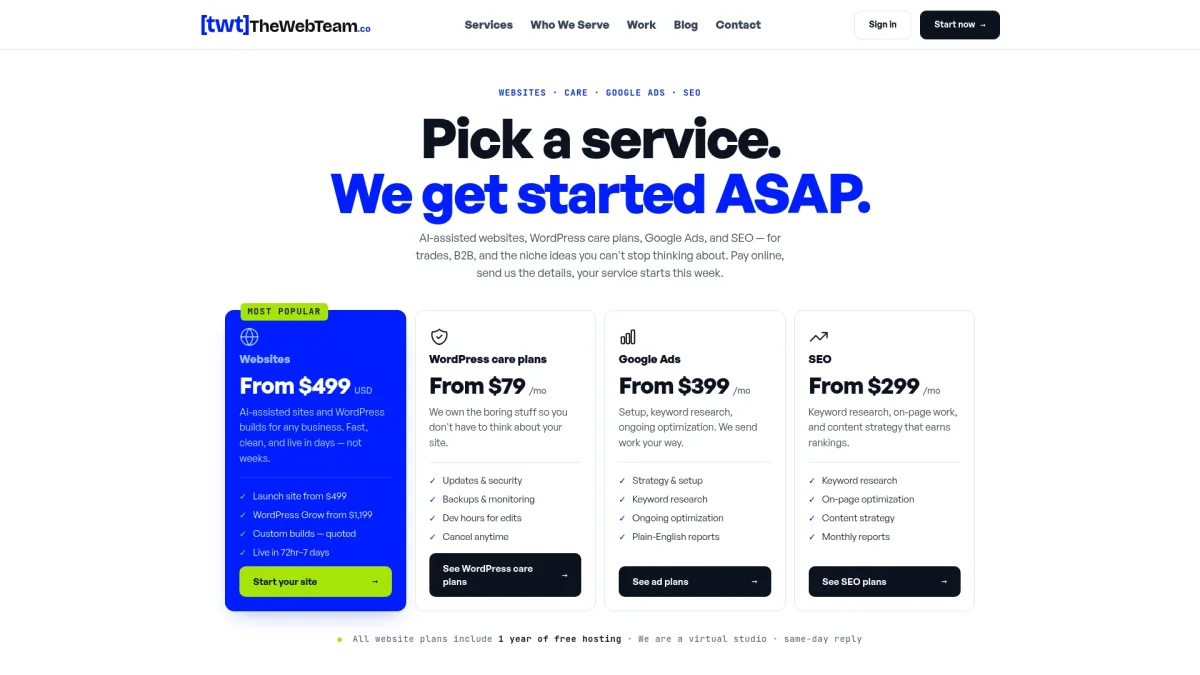
Thewebteam offers flexible care plans with transparent pricing, no long-term contracts, and included security hardening. Their AI-assisted approach means faster response times and lower overhead, which translates directly into better value for small business owners. Whether you need a full managed plan or targeted support for a specific issue, Thewebteam handles the technical side so you can focus on your business. You can also review their client work and results to see how they've delivered cost-effective solutions for businesses in trades, B2B, and niche industries.